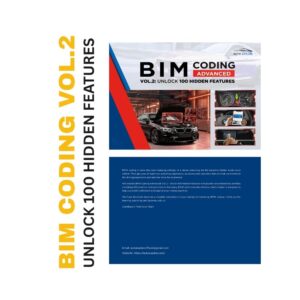
BMW coding goes beyond changing individual vehicle settings. Proper coding requires the right software, hardware interface, preparation procedures, and an understanding of how BMW vehicle configurations and control modules are managed.
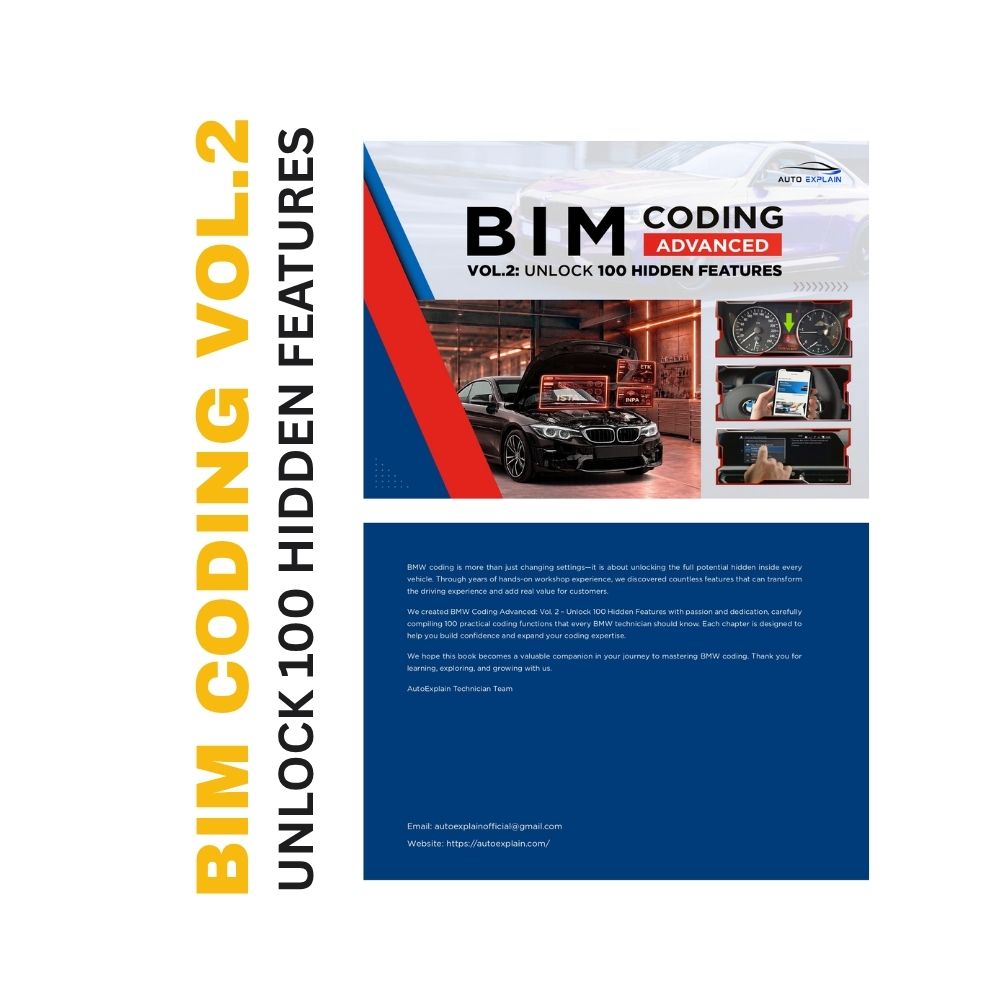
BMW Coding Advanced Vol.2: Unlock 100 Hidden Features is a practical coding and retrofit manual covering NCS Expert, E-Sys, VO Coding, FDL Coding, hardware retrofits, and more than 100 BMW feature customization procedures. The book takes readers from essential pre-coding preparation through advanced coding and retrofit applications, with step-by-step procedures for a wide range of BMW systems and functions.
Book Title: BMW Coding Advanced Vol.2: Unlock 100 Hidden Features
Main Coding Software Covered:
BMW Series Covered:
Main Coding Areas:
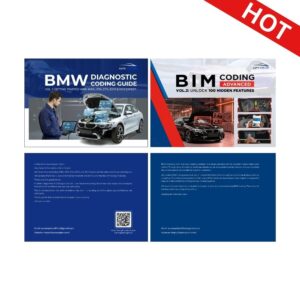
If you begginer learn BMW Diagnostic and Coding, see more BMW Vol.1 at: https://autoexplain.com/product/bmw-diagnostic-coding-guide-repair-manual/
BMW Coding Advanced Vol.2: Unlock 100 Hidden Features is an advanced BMW coding and retrofit guide designed around practical coding procedures.
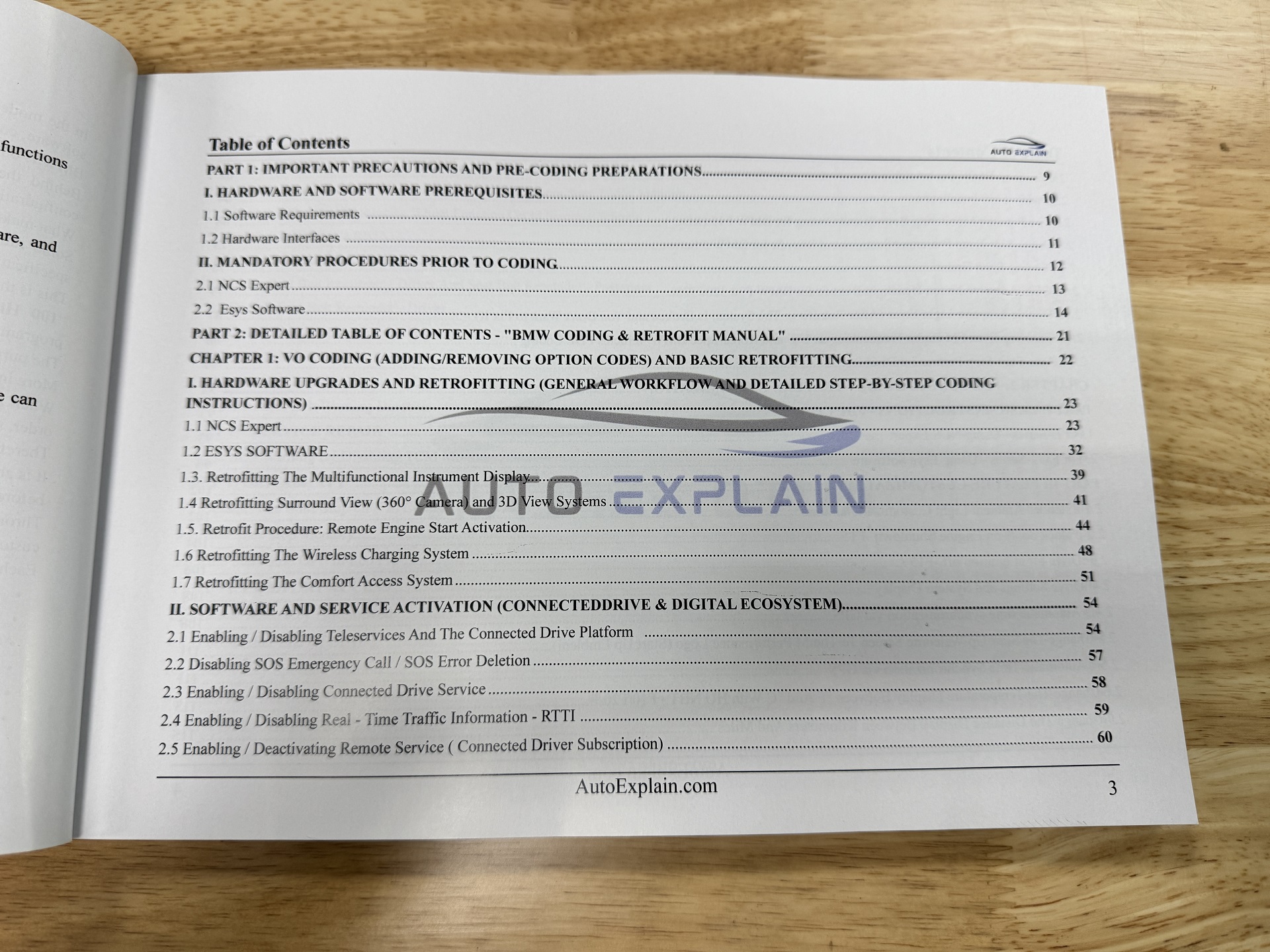
The book begins with important preparation steps, including software requirements, hardware interfaces, and mandatory procedures before coding. It then introduces coding workflows using NCS Expert and E-Sys before moving into VO Coding, hardware retrofitting, FDL Coding, and individual feature customization.
The main content is organized around practical BMW coding applications, covering areas such as:
Rather than focusing on one specific coding function, the book provides a broad reference covering different BMW coding and retrofit scenarios documented throughout the manual.
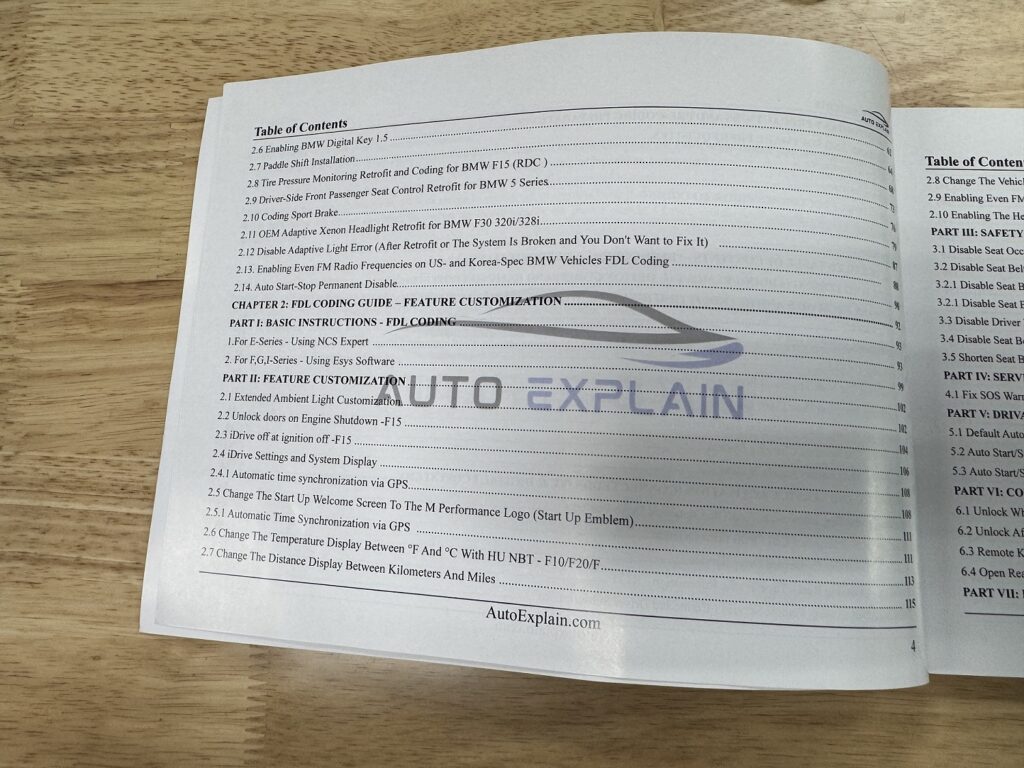
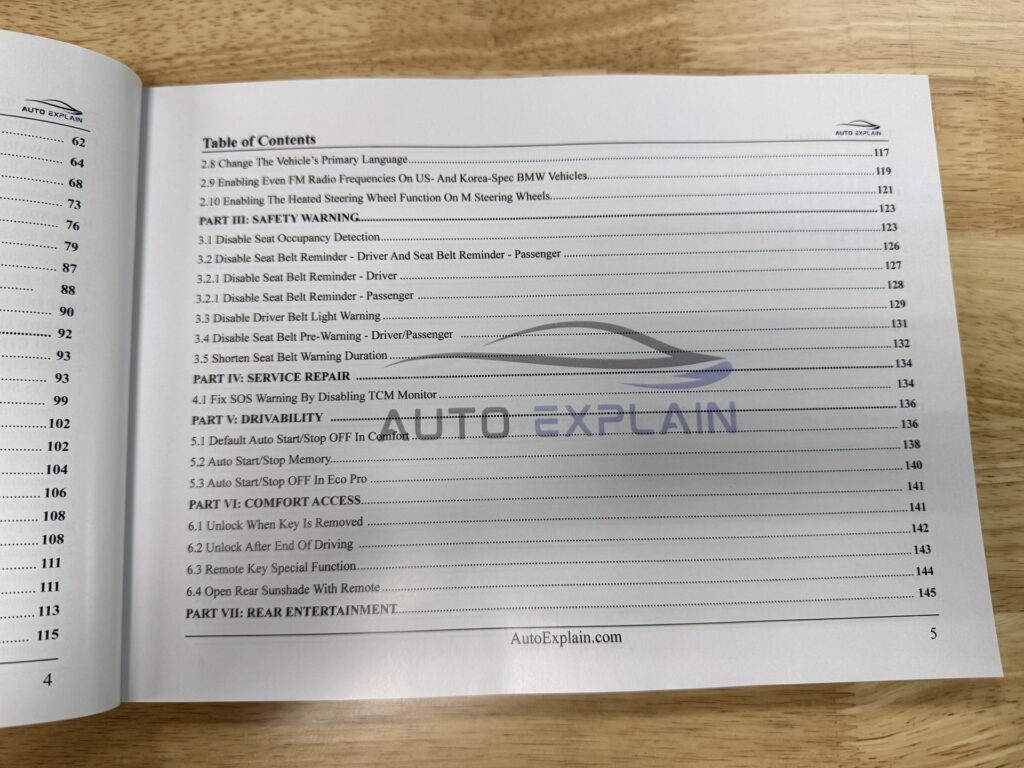
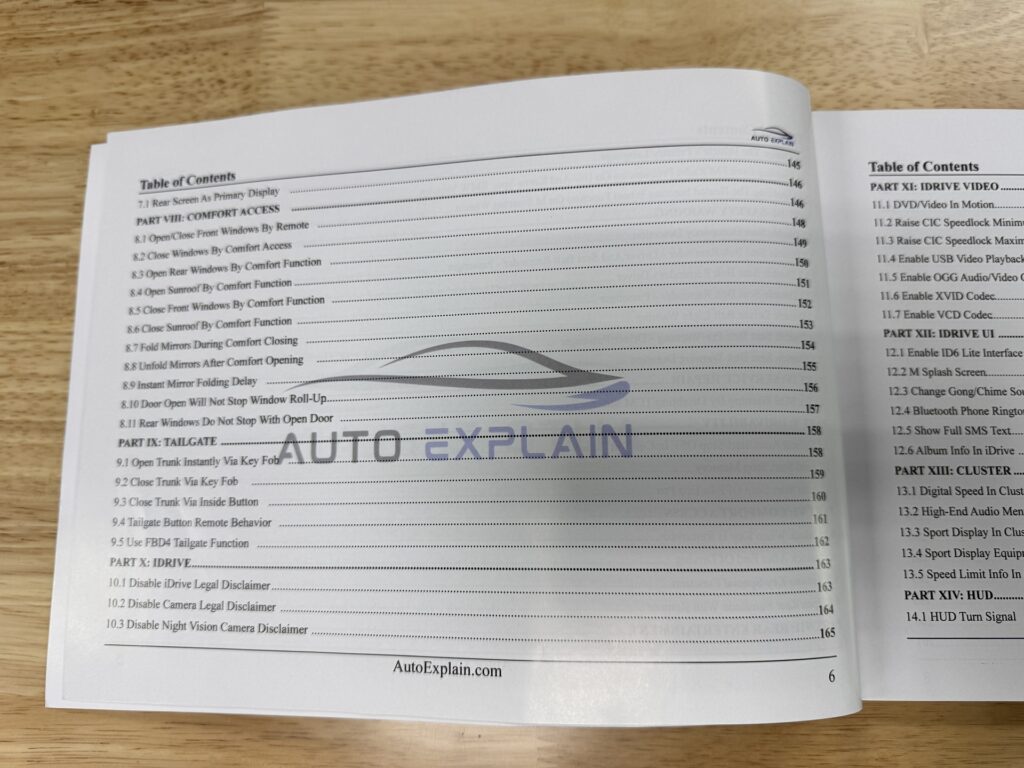
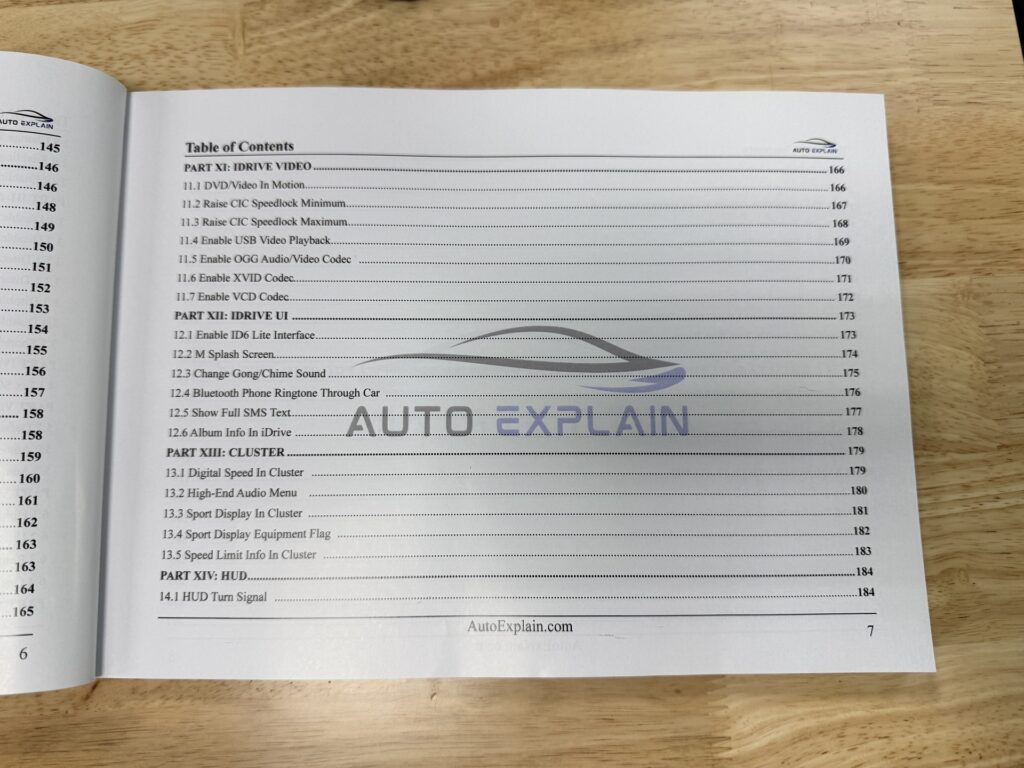
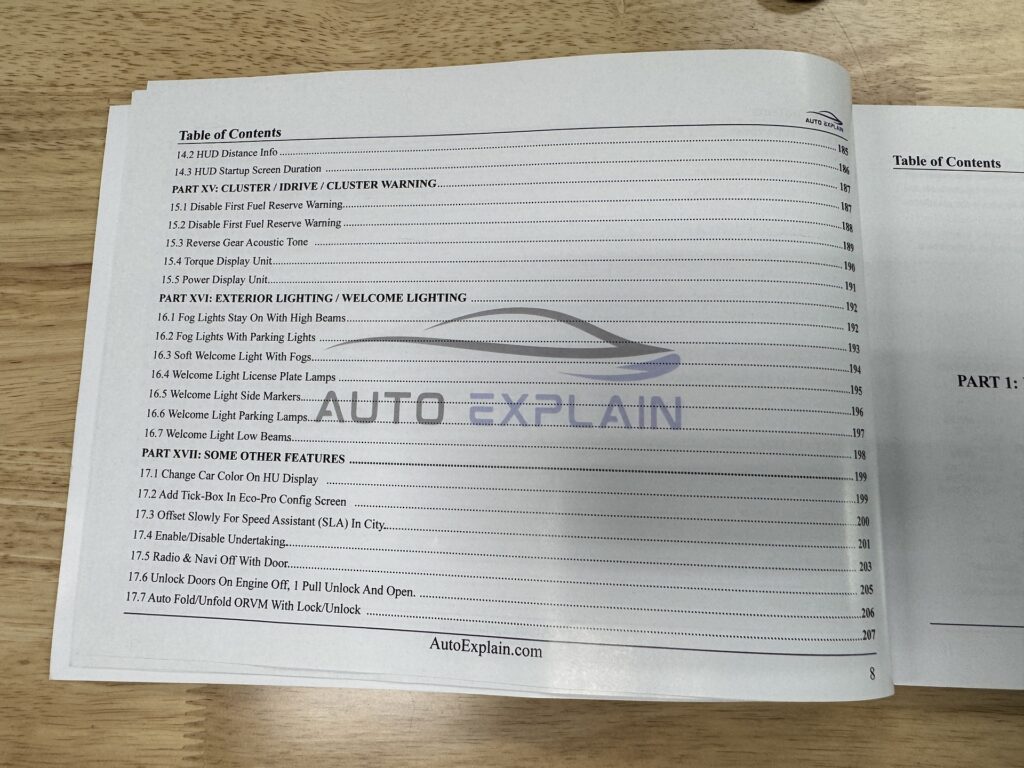
By following the procedures in BMW Coding Advanced Vol.2, readers will learn how to prepare a BMW coding environment, work with the main coding software covered in the book, and perform a wide range of coding and retrofit procedures.
The book begins with the essential requirements before performing coding operations, including:
These preparation steps provide the foundation for the coding procedures presented in later chapters.
The manual explains how to work with VO Coding, including adding and removing option codes, followed by hardware retrofit procedures and the corresponding coding workflows.
Examples covered in the book include:
The FDL Coding section introduces separate procedures for:
The book then applies FDL Coding to individual vehicle functions, including iDrive settings, display customization, Comfort Access, lighting, cluster functions, HUD functions, and other vehicle features.
The feature customization sections provide a large collection of individual coding procedures covering different BMW systems.
These include:
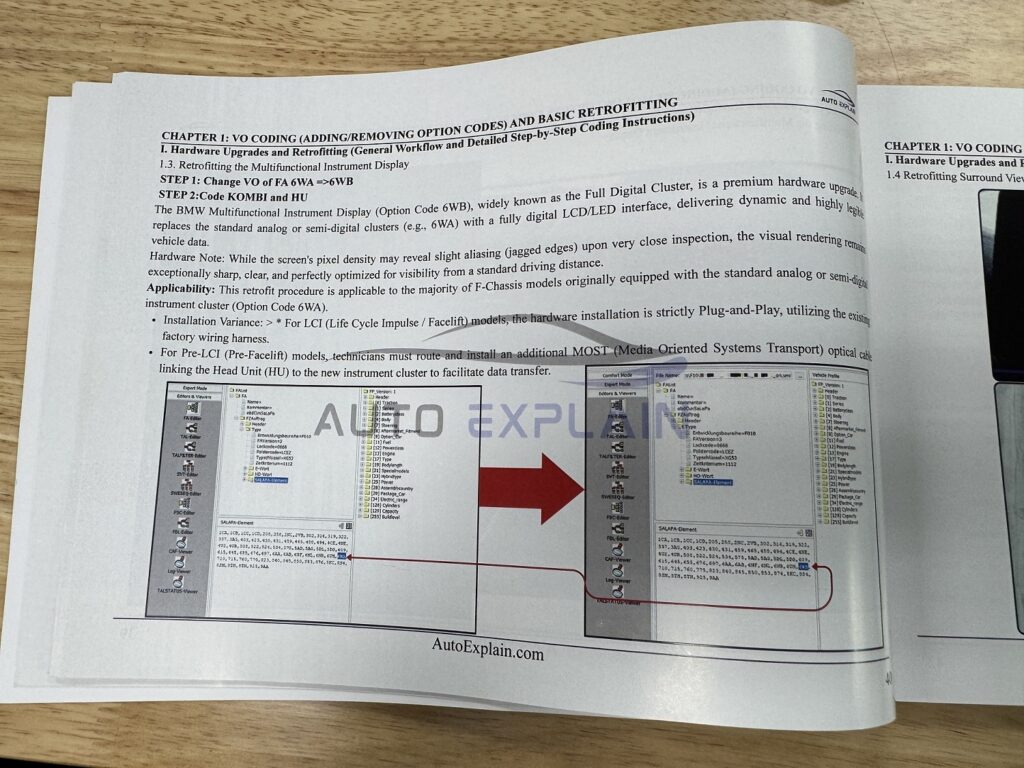
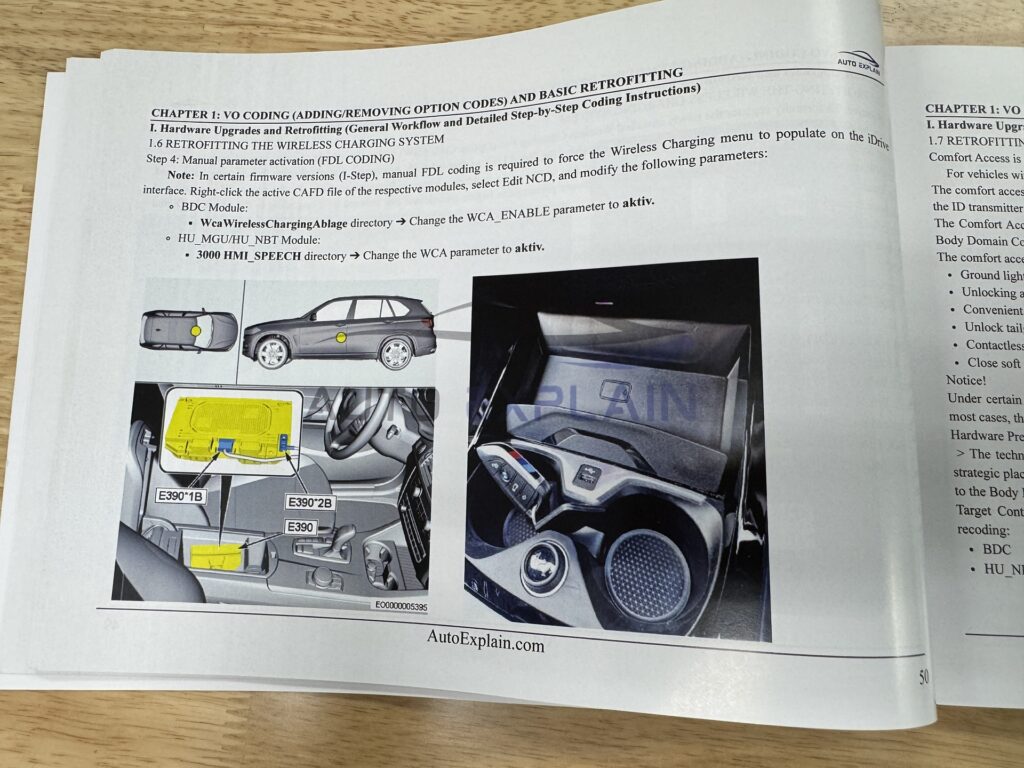
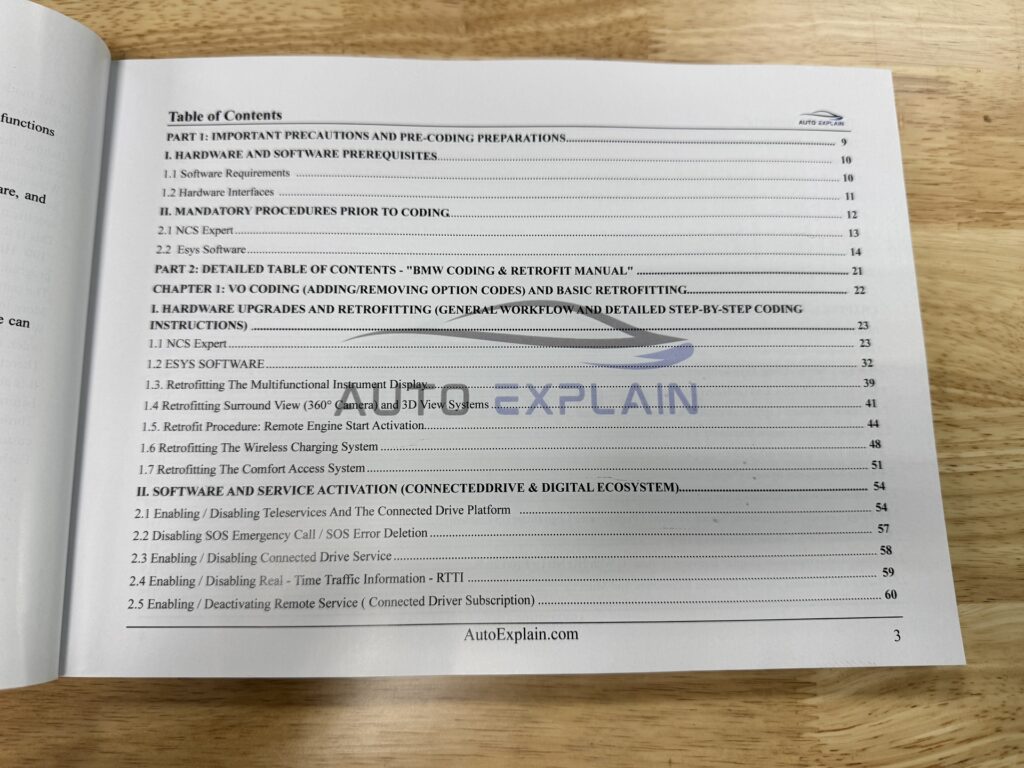
The first major coding section focuses on VO Coding, including procedures for adding and removing option codes.
The book explains the coding workflow using both NCS Expert and E-Sys, followed by practical hardware retrofit examples.
This section connects the coding process with real retrofit applications, showing how different hardware additions and vehicle functions are addressed through the documented coding procedures.
The retrofit section covers a range of applications, including:
Multifunctional Instrument Display
A dedicated procedure for retrofitting the multifunctional instrument display.
Surround View and 3D View
The book covers the retrofit and coding procedure for the Surround View 360° Camera and 3D View systems.
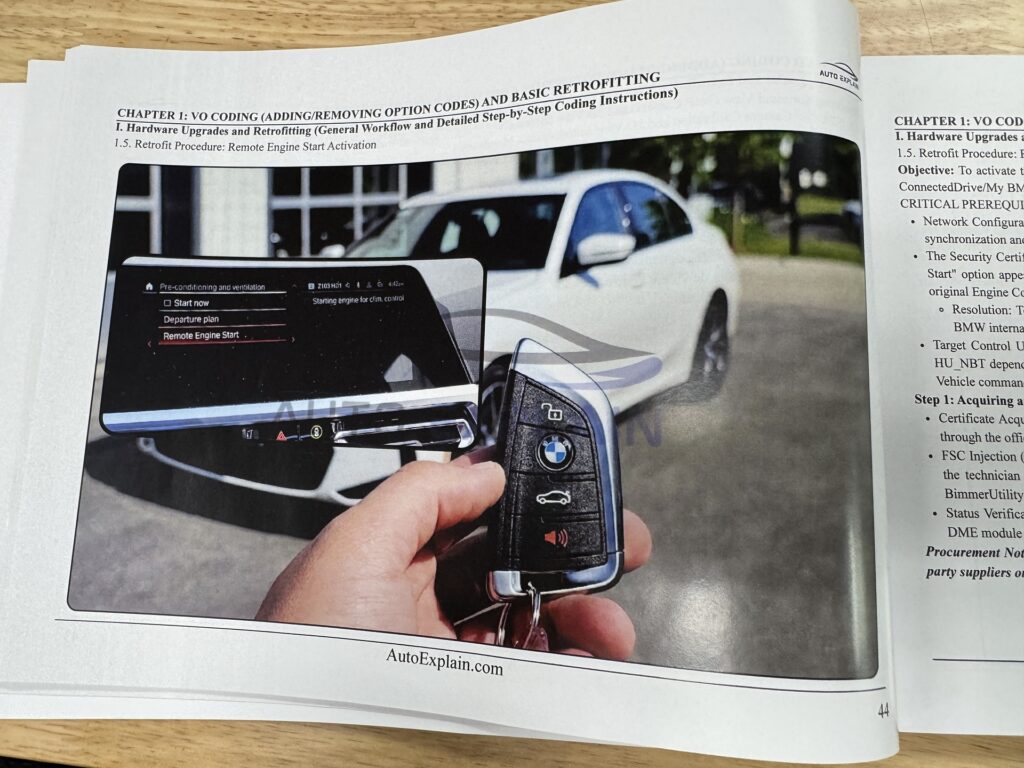
Remote Engine Start
A dedicated retrofit procedure for Remote Engine Start activation.
Wireless Charging
The manual includes a procedure for retrofitting the wireless charging system.
Comfort Access
The Comfort Access retrofit procedure is also included.
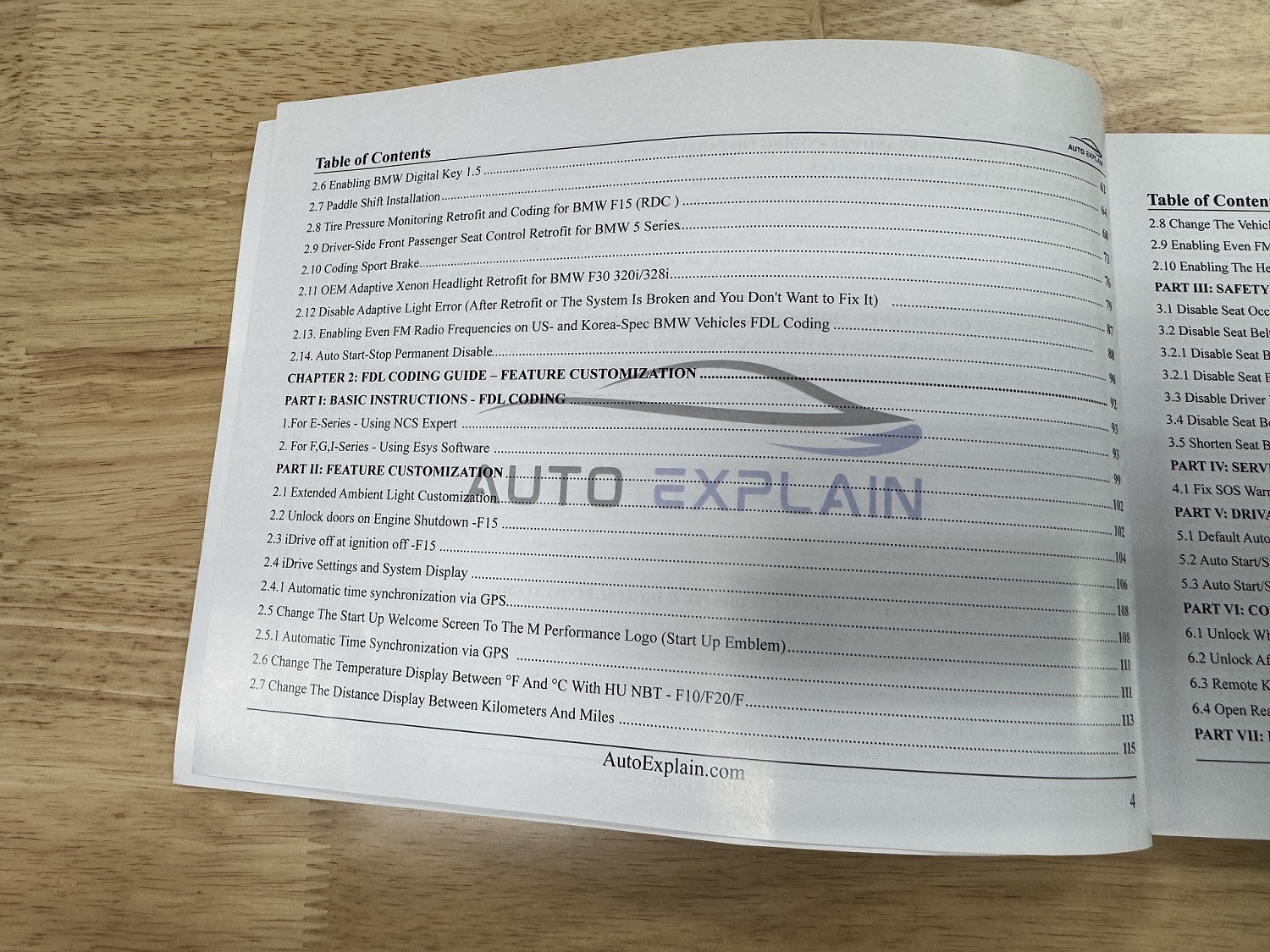
Additional retrofit and coding examples cover paddle shift installation, RDC/Tire Pressure Monitoring retrofit, passenger seat control retrofit, Sport Brake coding, and OEM Adaptive Xenon Headlight retrofit for the BMW F30 320i/328i.
The VO Coding and Retrofit section also covers coding related to BMW’s ConnectedDrive and digital ecosystem.
The documented procedures include:
These procedures are presented as individual coding topics within the book.
The second major area of the manual focuses on FDL Coding.
FDL Coding procedures are divided according to the BMW platform and software method covered in the book.
The book provides basic FDL Coding instructions for E-Series vehicles using NCS Expert.
For F-Series, G-Series, and I-Series, the manual provides the corresponding FDL Coding instructions using E-Sys.
After introducing these basic procedures, the book moves into individual feature customization.
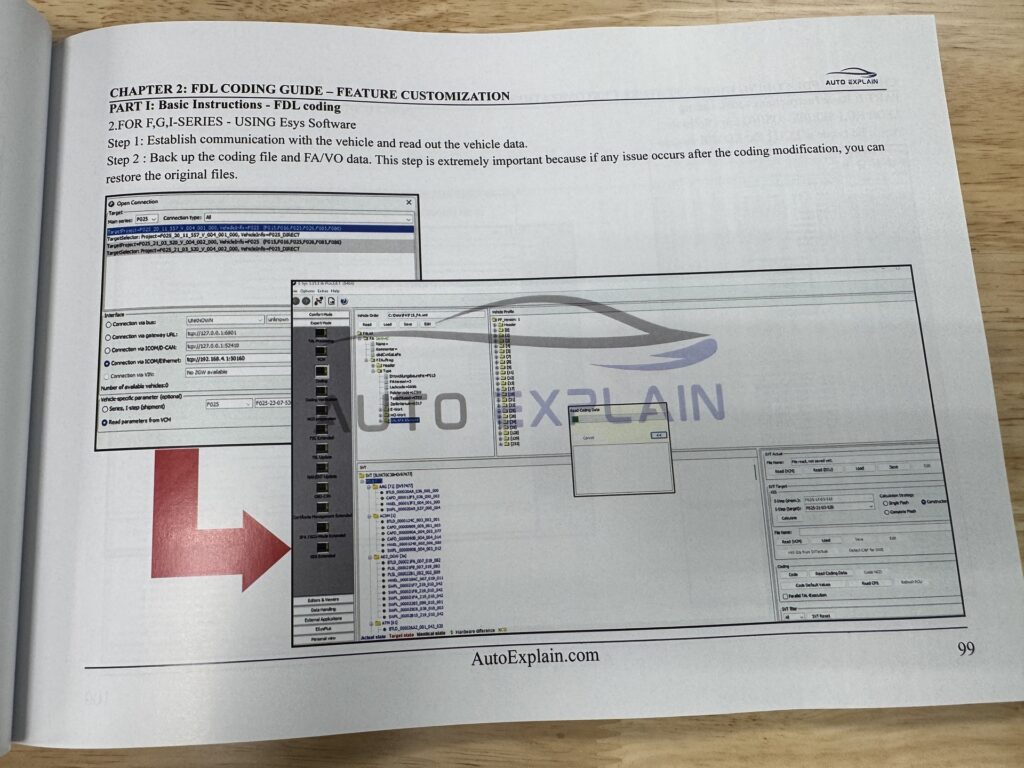
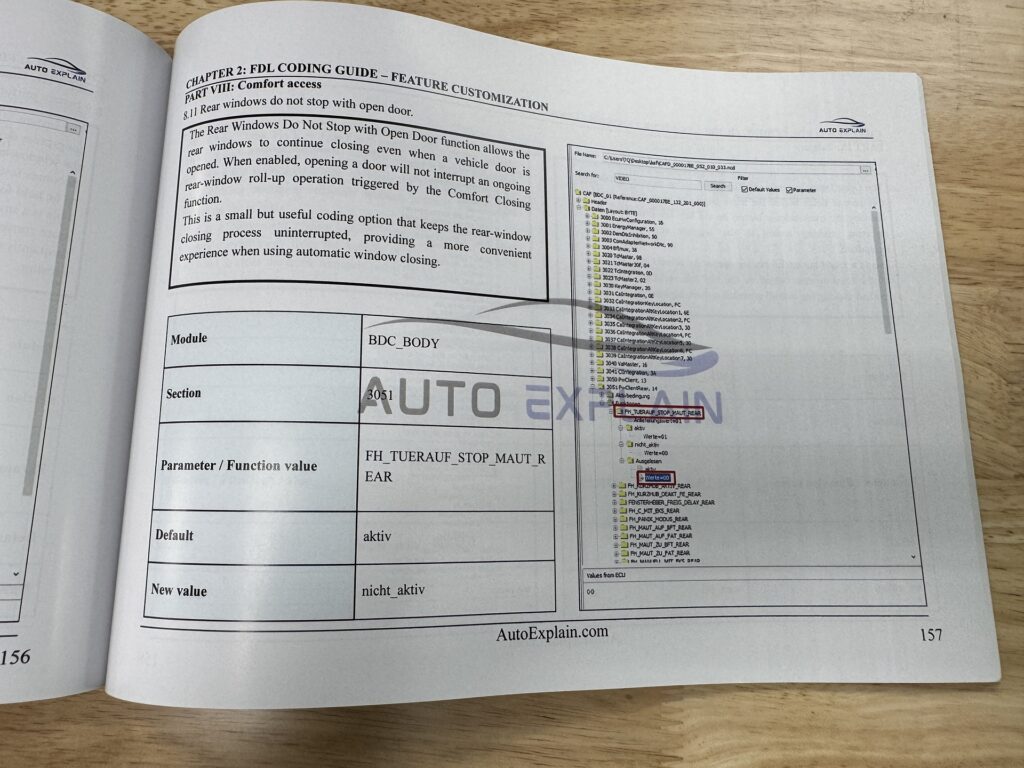
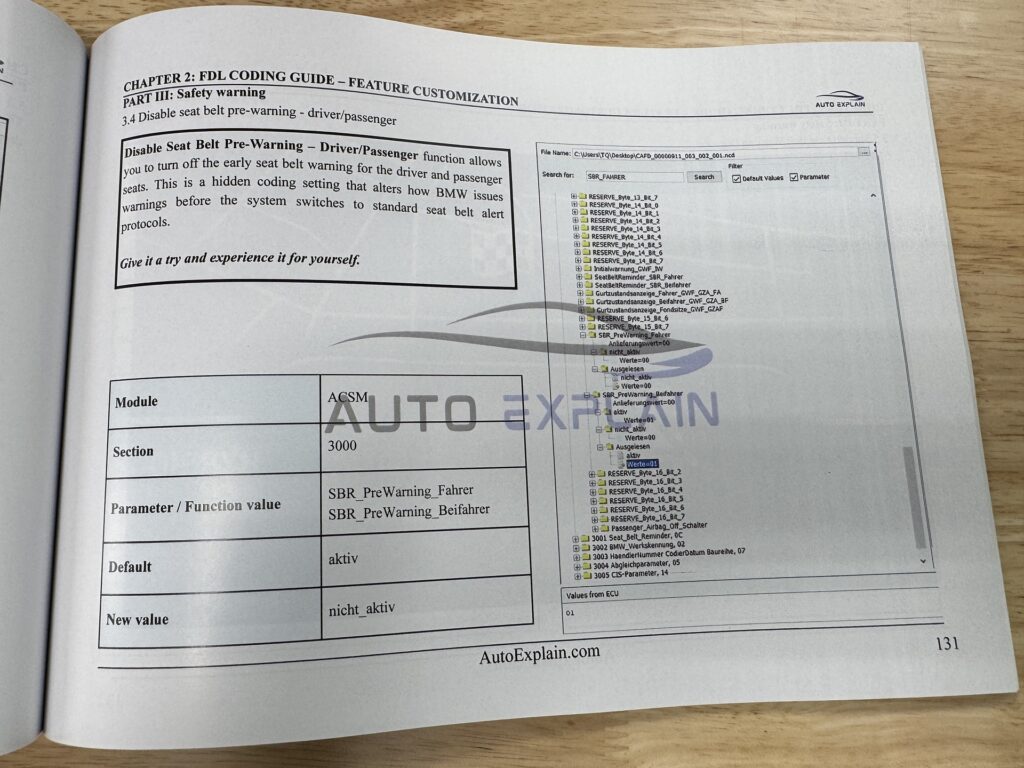
The feature customization content is organized into dedicated groups, making the book easier to use as a reference when looking for a specific vehicle function.
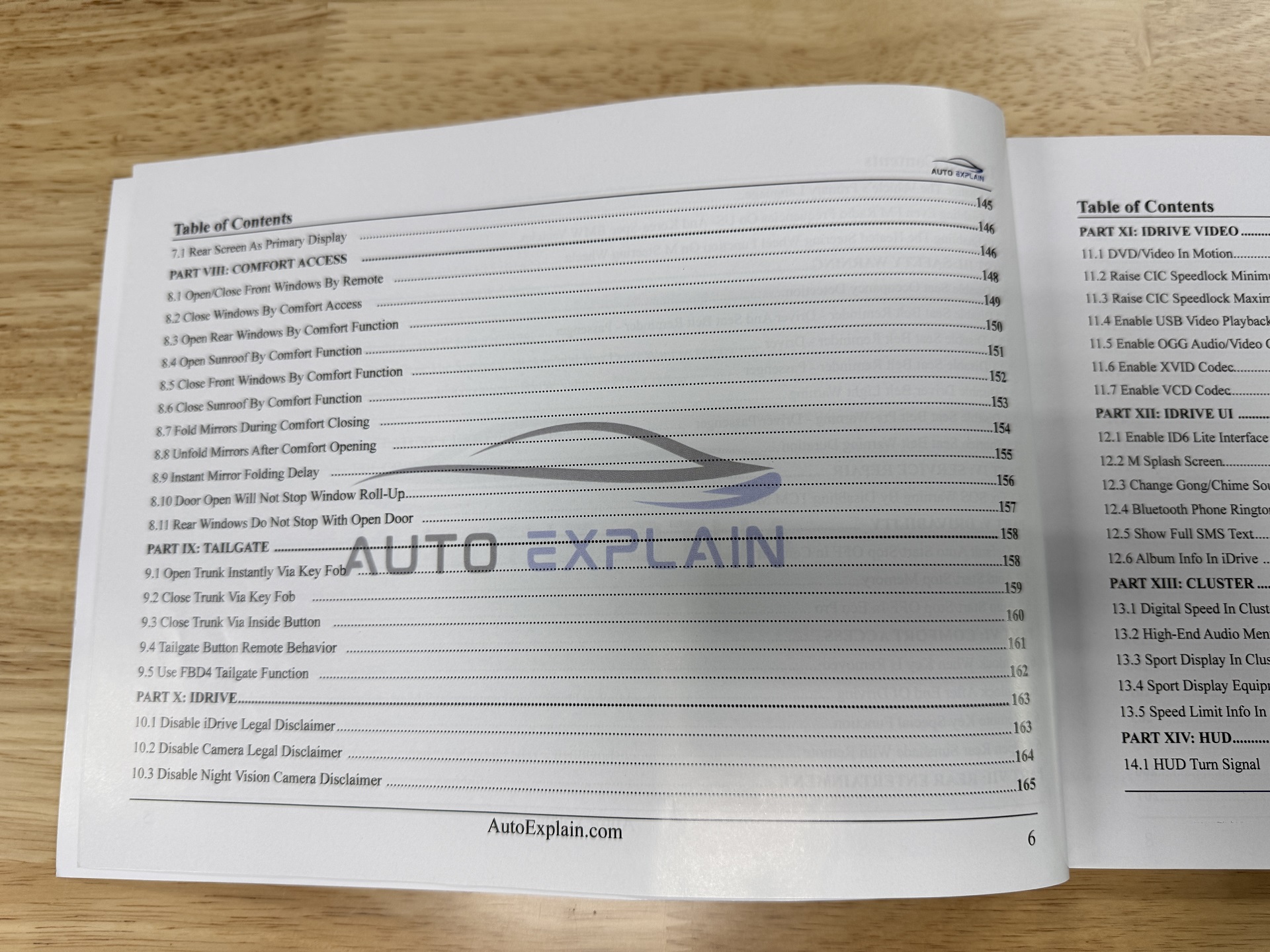
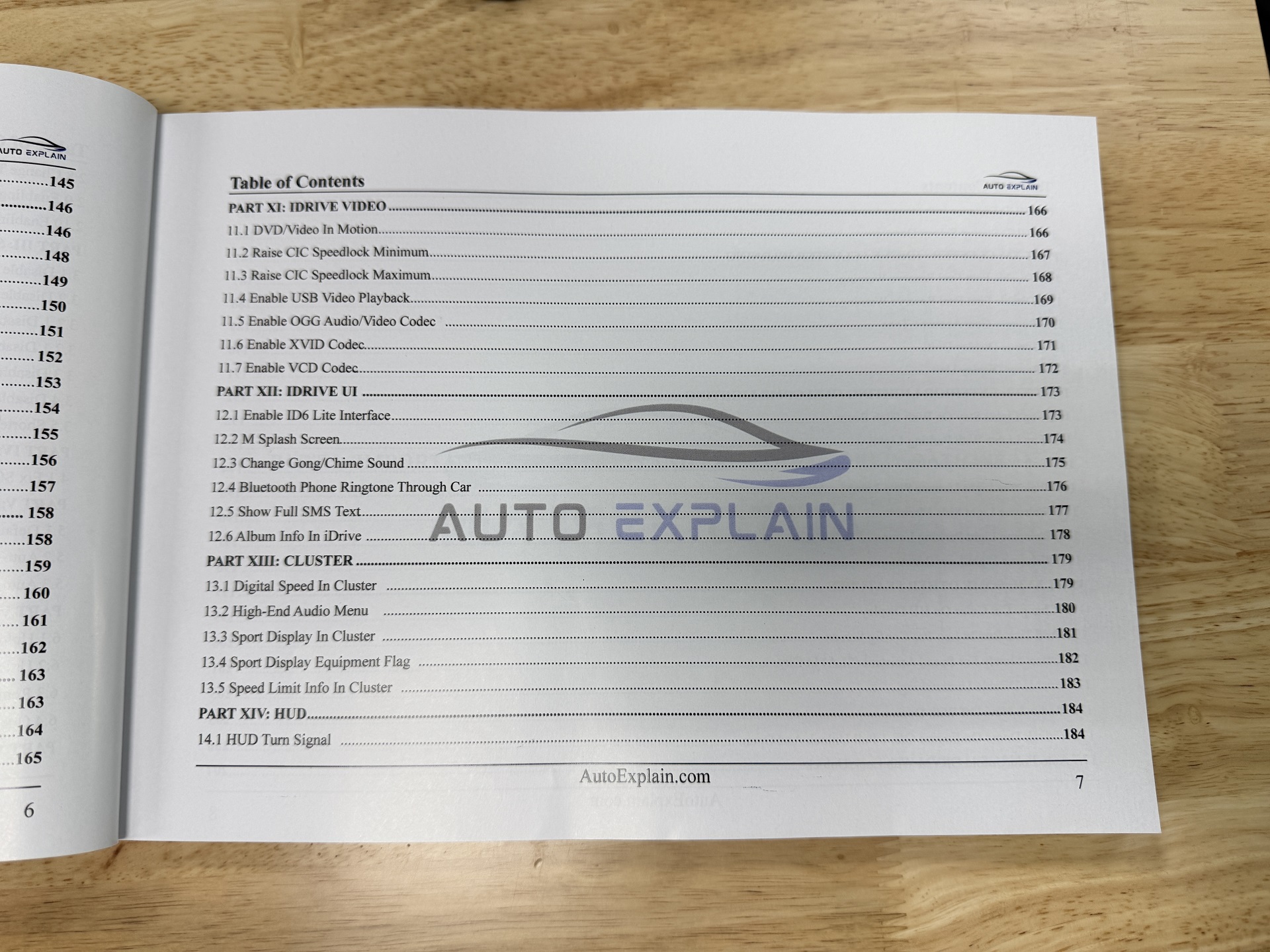
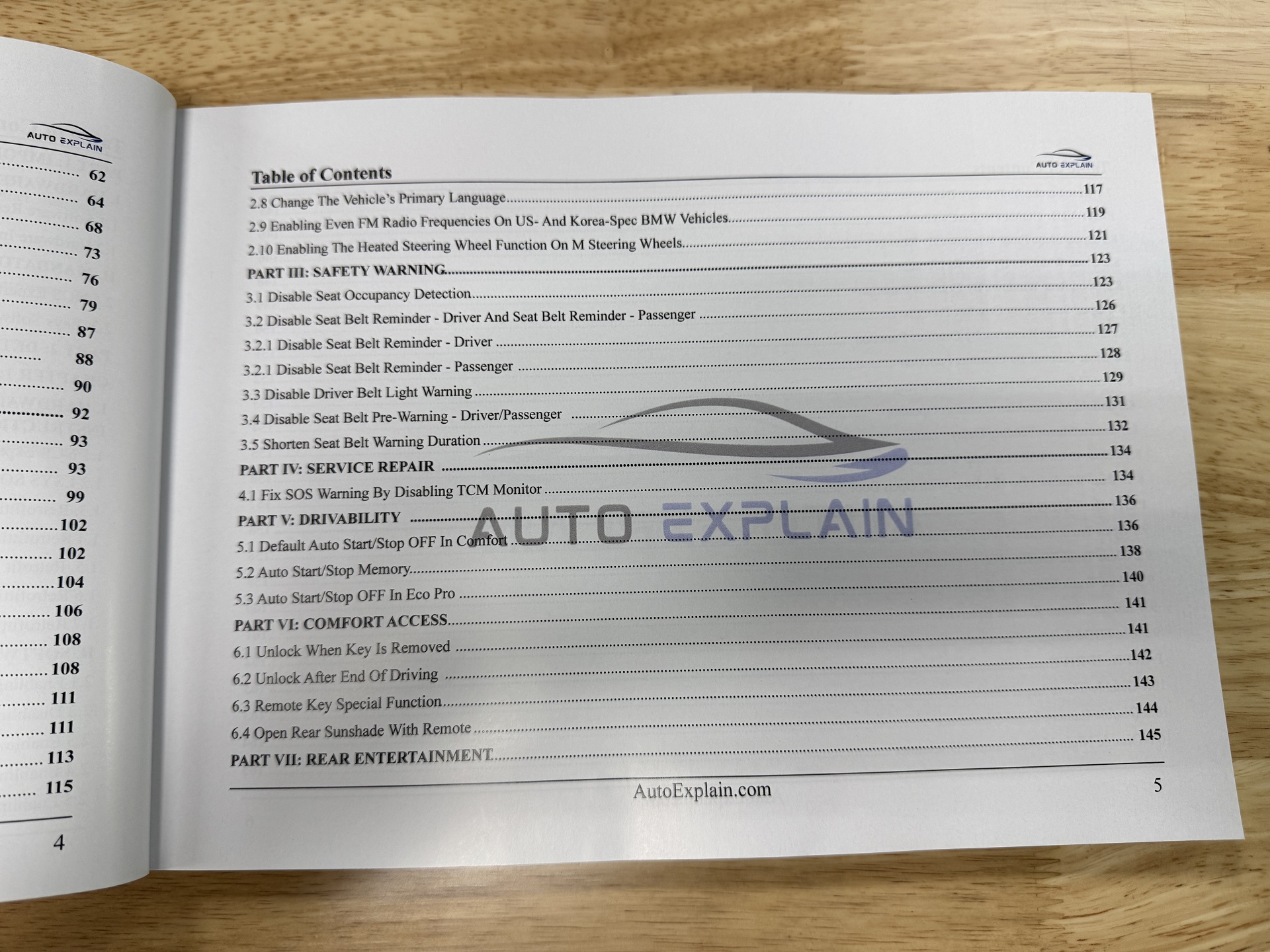
The Comfort Access section covers multiple key, door, window, sunroof, and mirror-related functions.
Topics include:
These procedures allow readers to explore the Comfort Access-related coding functions documented in the manual.
The Tailgate section focuses on trunk and tailgate behavior.
The book includes procedures for:
The iDrive section covers several interface, settings, and display-related functions.
Topics include:
The book also covers additional iDrive interface customization in a separate section.
The iDrive Video section covers video and multimedia-related coding procedures.
Topics include:
These are presented as individual coding procedures within the manual.
The iDrive UI section focuses on interface and user-experience customization.
The book covers:
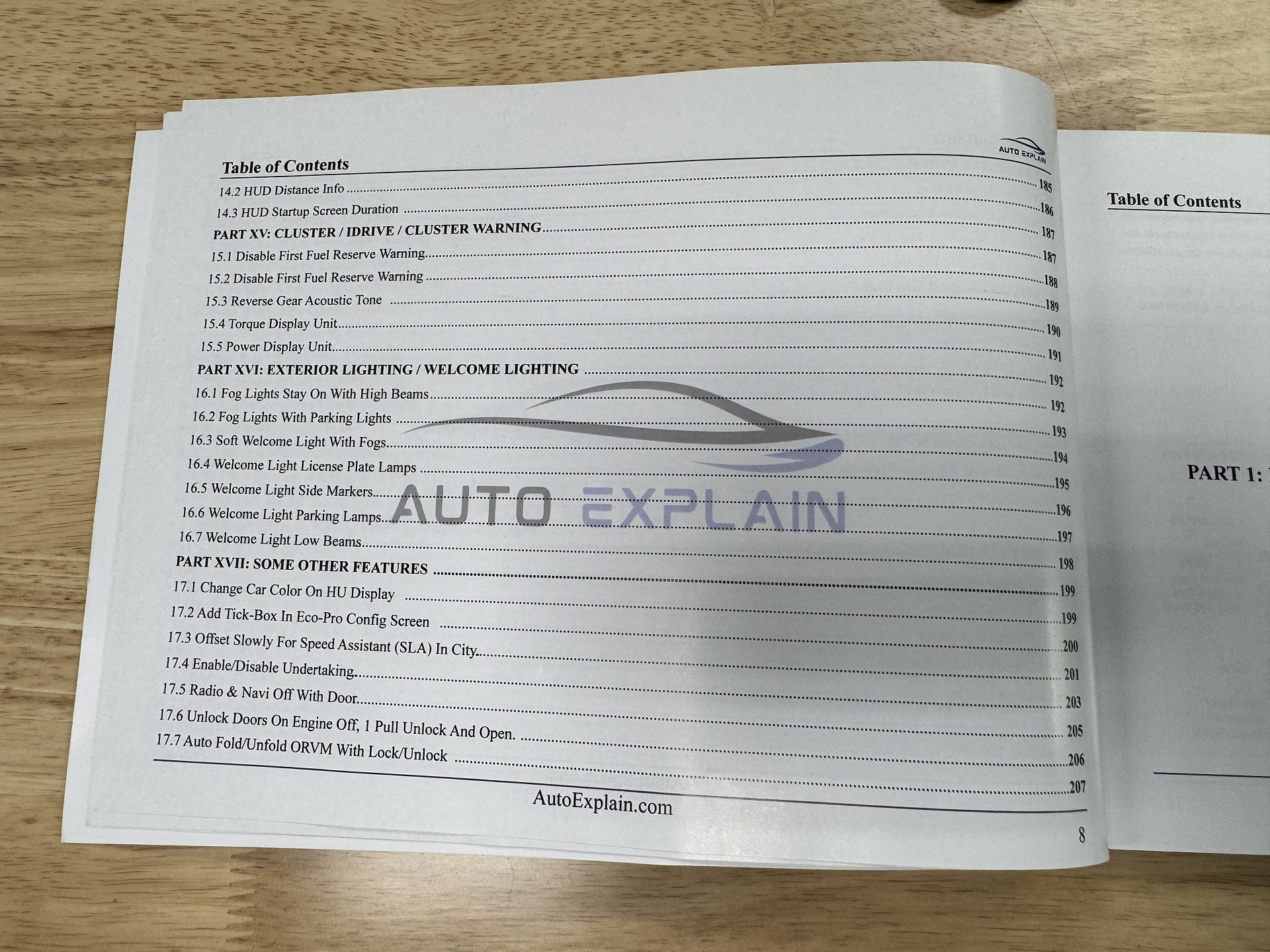
The Cluster section covers several display and information functions.
Topics include:
The book also includes additional cluster and warning-related coding procedures in a separate section.
The HUD section focuses on selected information displayed through the Head-Up Display.
The documented procedures include:
The Exterior Lighting / Welcome Lighting section covers multiple lighting-related customization procedures.
Topics include:
The manual includes several Auto Start/Stop customization procedures under the Drivability section.
These include:
The final feature group contains additional customization procedures that do not belong exclusively to the categories above.
Examples include:
Together, these sections form the practical feature-customization library that makes up the core of BMW Coding Advanced Vol.2.
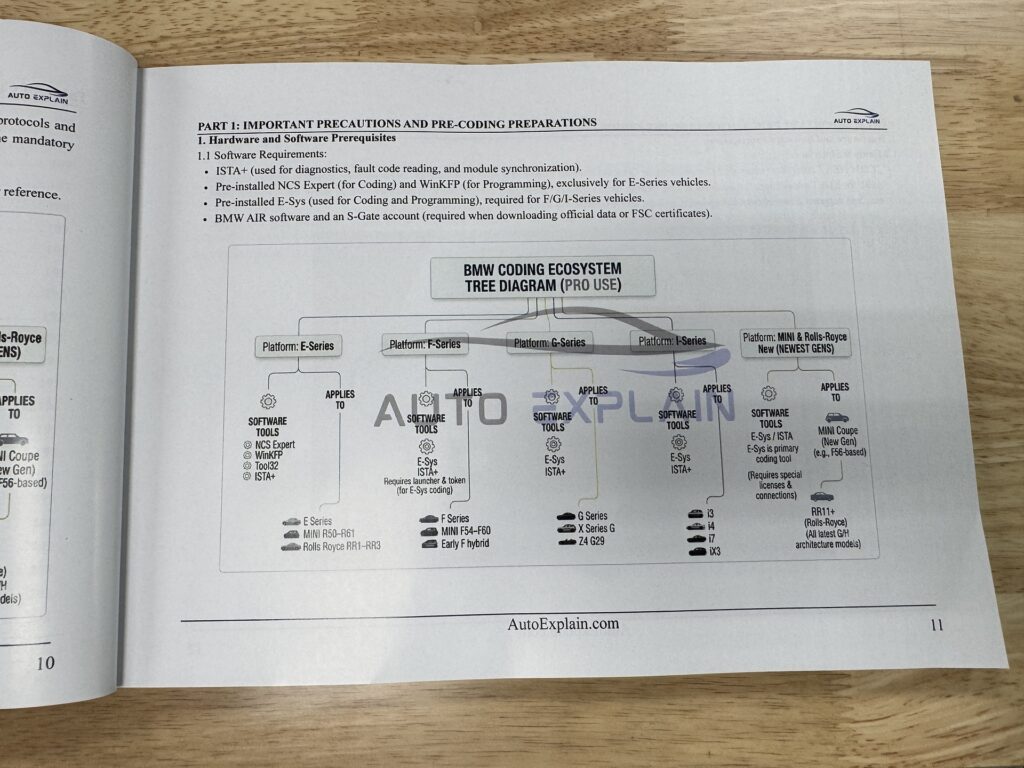
BMW Coding Advanced Vol.2 covers two coding environments used for different BMW series.
The book includes NCS Expert for coding on BMW E-Series vehicles. The relevant sections focus on FDL coding and individual feature customization.
For BMW F-Series, G-Series, and I-Series, the book covers E-Sys coding procedures. These sections are used throughout the guide for VO Coding, FDL Coding, retrofit-related procedures, and feature customization.
By separating the coding procedures by software and vehicle series, the book provides a structured reference for working with the coding methods covered in each section.
Before starting BMW coding procedures, the book covers the required preparation steps for the coding environment.
The preparation section includes:
Following the preparation procedures covered in the book helps establish the correct starting point before moving into individual coding or retrofit sections.
BMW Coding Advanced Vol.2 is intended for readers who want to study BMW coding, retrofit procedures, and individual feature customization covered in the book.
It can be used as a reference for:
BMW Coding Advanced Vol.2 brings its coding topics together in one structured manual, moving from preparation and coding software to VO Coding, retrofit procedures, FDL Coding, and individual feature groups.
The book covers:
Rather than focusing on only one coding function, the manual organizes different coding and retrofit topics into dedicated sections for easier reference.
See more: BMW Diagnostic & Coding Master Combo: Diagnostics, ECU Programming & Feature Customization
The book covers BMW coding, VO Coding, FDL Coding, hardware retrofit procedures, and individual feature customization.
The manual covers NCS Expert and E-Sys.
Yes. The book includes NCS Expert coding and FDL coding for BMW E-Series.
Yes. The book includes E-Sys coding for BMW F-Series, G-Series, and I-Series.
The VO Coding section covers adding and removing BMW option codes and includes hardware retrofit examples such as Comfort Access, Remote Engine Start, Wireless Charging, Surround View and 3D View, Paddle Shift, Tire Pressure Monitoring, Sport Brake, and other retrofit topics listed in the book.
The FDL Coding section focuses on individual feature customization, including Comfort Access, Tailgate, iDrive, Video, Cluster, HUD, Lighting, Auto Start/Stop, and other coding features.
Yes. The book includes iDrive settings such as legal disclaimers, GPS time synchronization, temperature and distance units, primary language, interface customization, gong/chime sound, Bluetooth ringtone, SMS text, and album information.
Yes. The lighting section includes functions such as fog lights with high beams, fog lights with parking lights, welcome fog lights, license plate lamps, side markers, parking lamps, and low beams.
Yes. The book includes Auto Start/Stop settings such as default OFF in Comfort, memory functions, and OFF in Eco Pro.
No. In addition to coding, the book also covers hardware retrofit procedures and related feature activation or customization topics.
Yes. An ebook version is available. You can access ebook.autoexplain.com or contact AutoExplain via WhatsApp for more details about ebook access.
Shipping typically takes 5–7 days, depending on the destination and shipping conditions.
When you purchase the book from AutoExplain, you get more than the printed manual. You also receive access to additional learning and technical support benefits, including a private support group and guidance from experienced technicians.
Yes. Book customers can access a private support group where they can ask questions, discuss coding topics, and share learning experiences.
Yes. AutoExplain provides direct technical support from experienced technicians to help guide you during your learning journey.
Yes. Along with the book, AutoExplain provides a learning and support environment designed to help you study the BMW coding topics covered in the manual and develop your coding skills.
Build your BMW coding knowledge with a structured reference covering NCS Expert, E-Sys, VO Coding, FDL Coding, retrofit procedures, and 100 hidden features.
For product availability and ordering information, contact AutoExplain:
Get BMW Coding Advanced Vol.2: Unlock 100 Hidden Features as a reference for the BMW coding and retrofit topics covered throughout the book.
| Weight | 0.7 kg |
|---|