

Enter a valid 17-character VIN to retrieve available Mercedes-Benz vehicle information and possible codings.
Recent lookups
Need help activating your car functions? Contact us on WhatsApp for more information.
Contact us on WhatsAppVehicle: Mercedes-Benz CLA 180 Shooting Brake — Year: 2018 (Facelift)
Navigation system: NTG 5.1
Map update: Not possible
Detected control units:
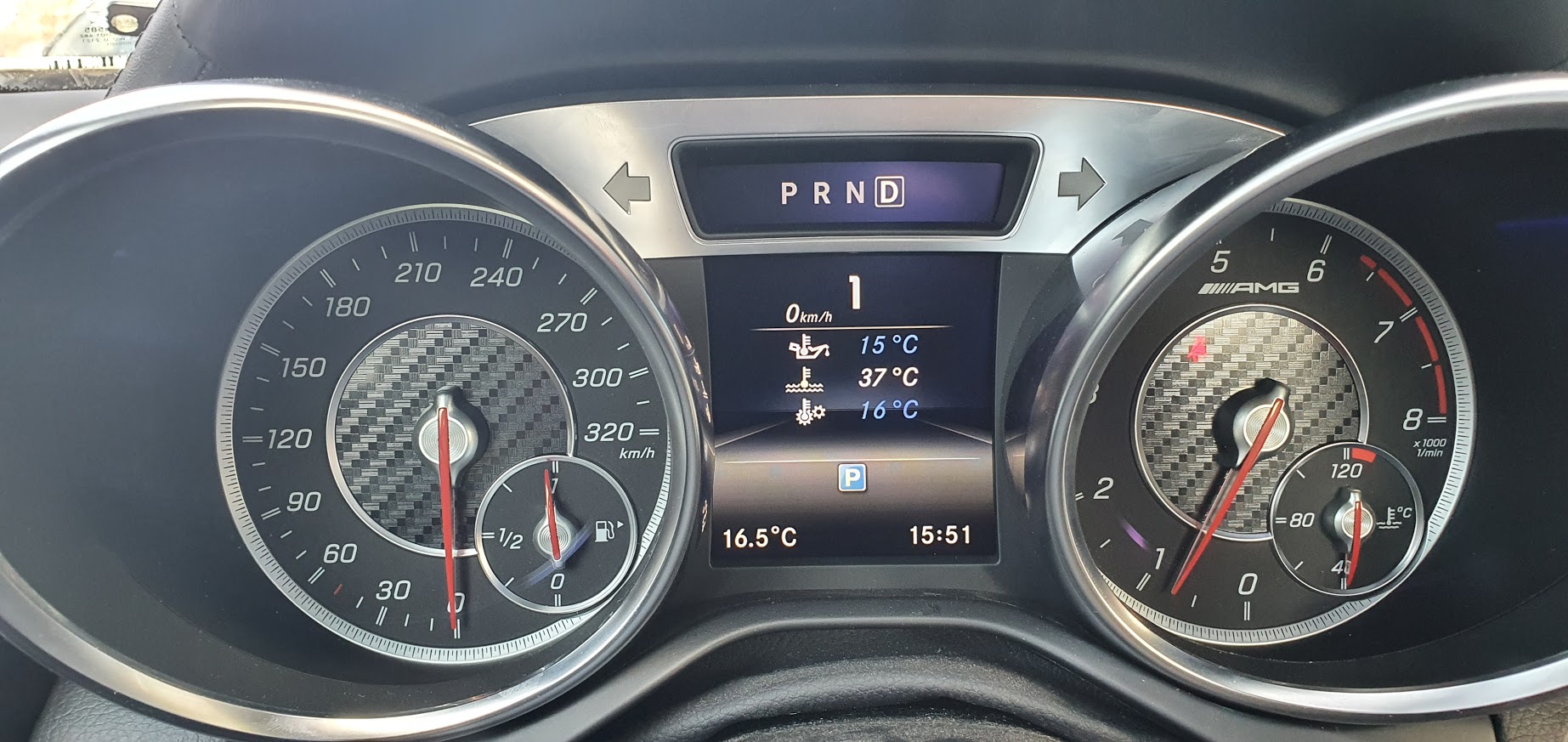
Description
Activate the AMG menu on the car, and customize it to show Water, Oil and Gearbox temperatures
The coding procedure takes 5 minutes.
Considerations
After enabling the AMG menu, the instant fuel usage menu is lost.
In some very rare cases, the current transmission mode (E/C/M/S) is no longer displayed. For this, please use the fix from the Common codings and routines dropdown menu in the MBTools app.
The AMG or Brabus boot image only works on a select few models.
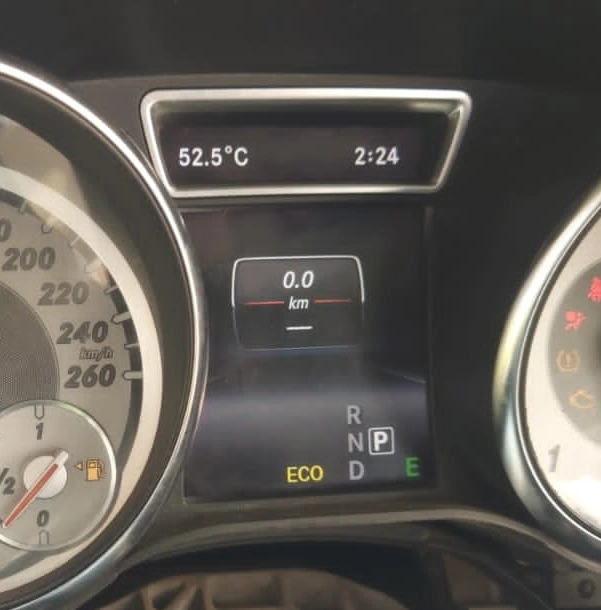
Description
This product fixes a common issue that occurs when you replace your car's instrument cluster. If your new cluster shows dashes instead of mileage, this solution resets the mileage to 0, allowing you to set the correct mileage from your car.
The procedure takes 5 minutes.
Considerations
We do not actively support mileage manipulation. If you want to achieve mileage other than original, a CAN filter is required separately, which we do not sell, or offer support for.

Description
This activation comes free of charge, and gives you the ability to disable the annoying seat belt warning sound.
Considerations
Please drive responsibly!
Please note that free codings come 'as is', with no support. Make sure to manually backup your codings in the MBTools app, should you want to revert back to them, later.
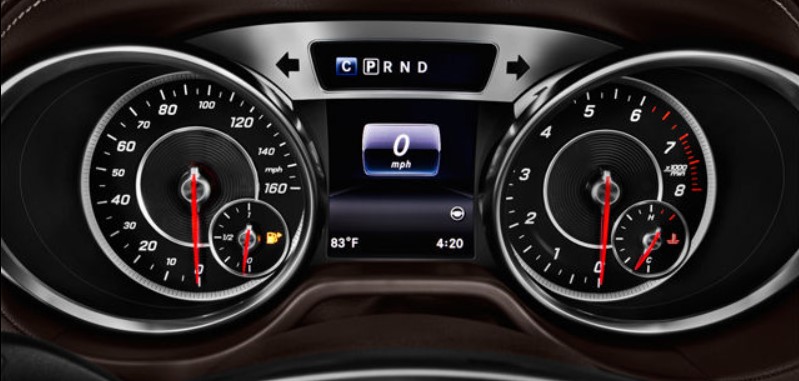
Description
This activation comes free of charge, and gives you the ability to enable the animation of spinning the needles when the car is started.
Considerations
Please note that free codings come 'as is', with no support. Make sure to manually backup your codings in the MBTools app, should you want to revert back to them, later.
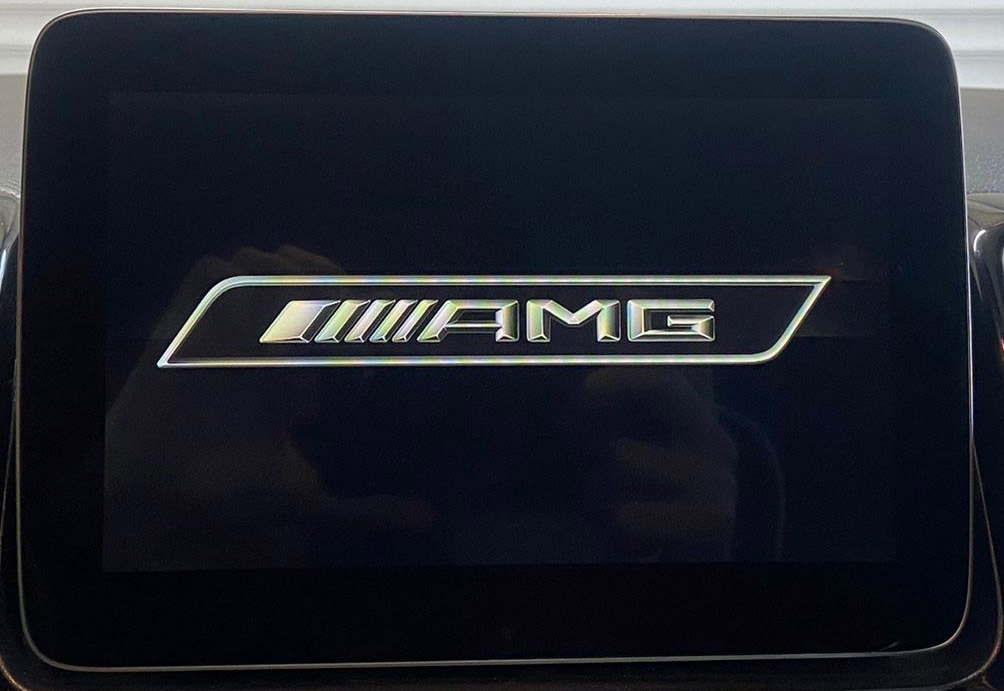
Description
Display the AMG or Maybach boot logo on your headunit.
Considerations
This is a headunit coding, and comes together with all the other headunit codings (meaning you don't need to purchase each of them individually, they are all included in the price).
Please do not confuse this with the AMG menu on your instrument cluster, that needs to be bought and coded separately!
Description
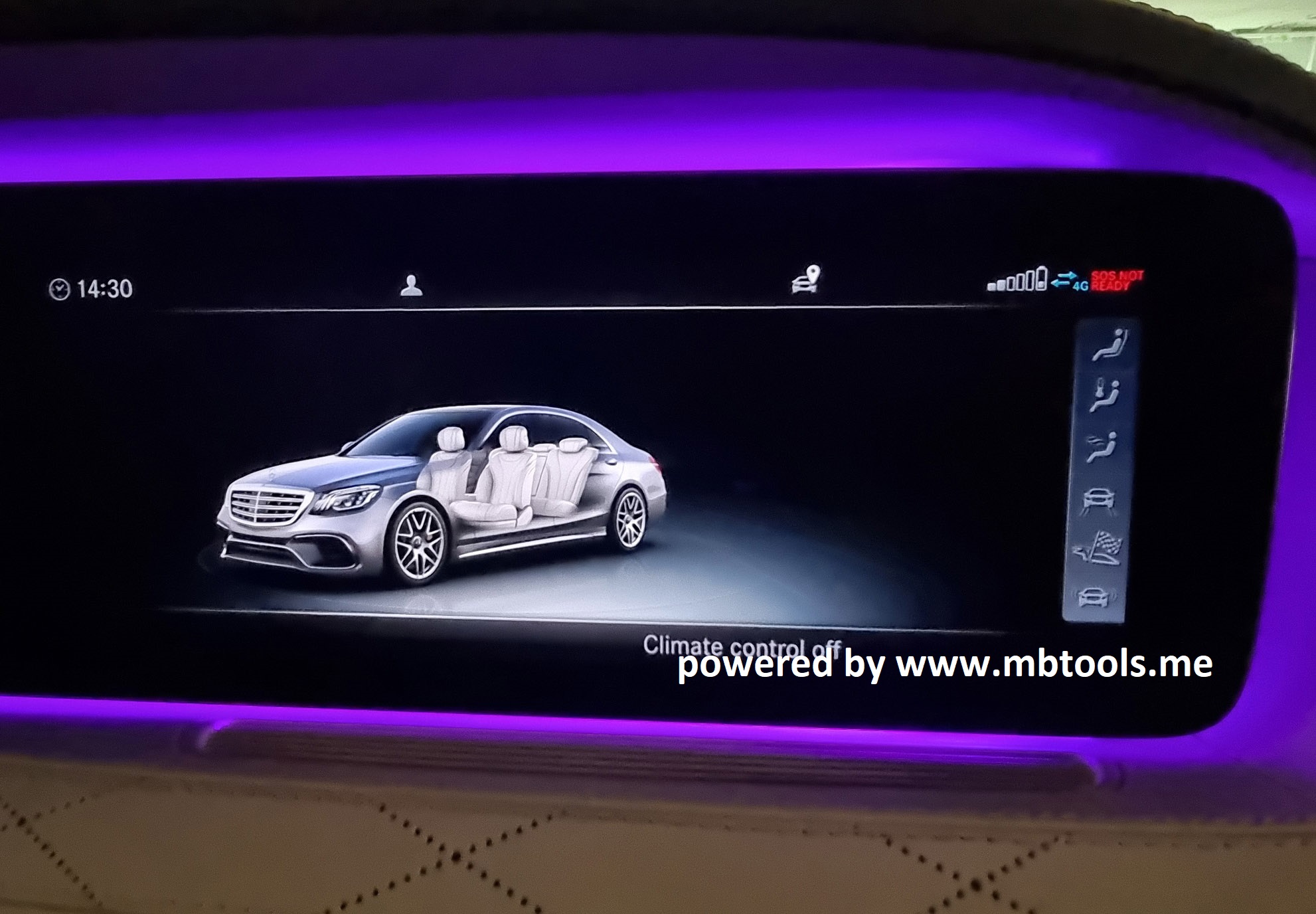
Enhance the look of the car displayed in the headunit, to appear with the AMG bodykit.
Considerations
This is a headunit coding, and comes together with all the other headunit codings (meaning you don't need to purchase each of them individually, they are all included in the price).
The ability to change the car design image is subject to availability within the headunit's current firmware.
Description
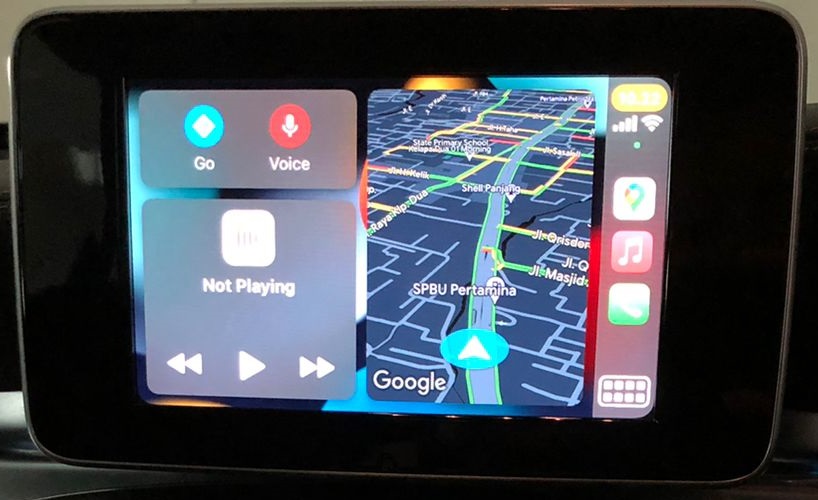
Android Auto lets you connect an Android phone to the car by wire, and use programs such as Maps, directly on the Headunit's screen.
The activation procedure takes between 5 and 30 minutes.
You do not need to make any hardware changes, or replace any modules, everything is done on the software side.
Considerations
This is a headunit coding, and comes together with all the other headunit codings (meaning you don't need to purchase each of them individually, they are all included in the price).
Please note that flashing the unit might be needed.
If that is the case, a DoIP compatible VCI, such as the BMW enet cable is required.
The flashing procedure can be carried out by the MBTools app.
Description
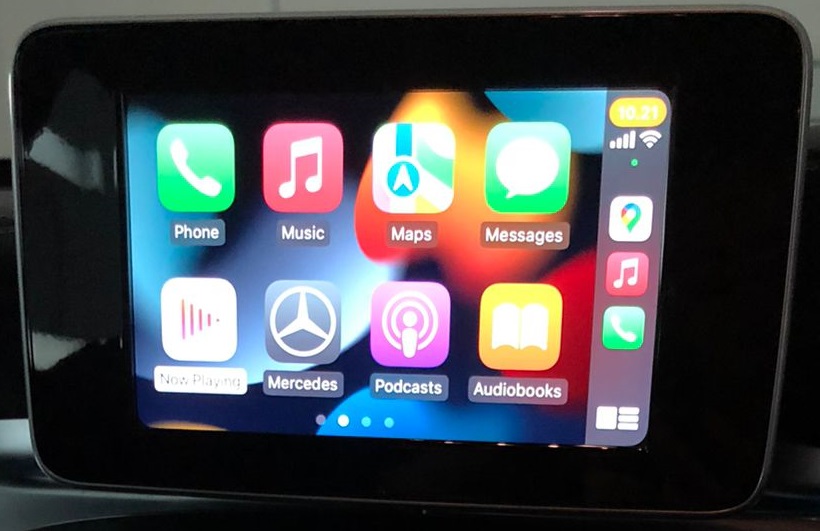
Apple Carplay lets you connect an iPhone to the car by wire, and use programs such as Maps, directly on the Headunit's screen.
The activation procedure takes between 5 and 30 minutes.
You do not need to make any hardware changes, or replace any modules, everything is done on the software side.
Considerations
This is a headunit coding, and comes together with all the other headunit codings (meaning you don't need to purchase each of them individually, they are all included in the price).
Please note that flashing the unit might be needed.
If that is the case, a DoIP compatible VCI, such as the BMW enet cable is required.
The flashing procedure can be carried out by the MBTools app.
| Code | Sales Term |
|---|---|
| 345 | Windscreen wipers with rain sensor |
| 370A | ARTICO man-made leather / Maringá fabric upholstery |
| 229L | — |
| 258 | Active Brake Assist |
| 213 | Sports Direct-Steer system |
| 0V8 | SPEED + LOADINDEX 92H |
| 381A | — |
| 429 | 7G-DCT - dual clutch automatic transmission |
| 761U | — |
| 428 | Steering wheel shift paddles |
| 500 | Electrically folding exterior mirrors |
| 543 | Sun visor with illuminated vanity mirror |
| 3U1 | Headunit europe/CIS-states/Monoglei |
| 580 | THERMATIC automatic climate control |
| 538 | Driver monitoring camera |
| 294 | Knee airbag |
| 290 | Window airbags |
| 2XXL | — |
| 808 | Model year code |
| A69 | — |
| 900 | Chrome package |
| 942 | Load compartment package |
| 818 | CD player |
| 857 | Media Display |
| FX | — |
| B59 | DYNAMIC SELECT |
| B51 | TIREFIT |
| GA | — |
| HA | — |
| P59 | Urban |
| P49 | Mirror Package |
| 893 | KEYLESS GO starting function |
| K27 | SOFTWARE CONTROL FORCE-FREE IN POSITION "D" |
| 890 | EASY-PACK tailgate |
| L | Left-hand drive |
| B09 | Refrigerant compressor with magnetic clutch |
| M013 | — |
| B03 | ECO start/stop function |
| H81 | Sail-pattern trim |
| 927 | EU6 emissions standard |
| 608 | Digital Extra: Adaptive Highbeam Assist |
| M270 | — |
| 969 | COC document EU6 with registration certificate part II |
| 8U8 | i-Size child seat attachment |
| 51U | Roof liner in black fabric |
| 645 | M+S winter tyres, set of 4 |
| 249 | Interior mirror and driver's exterior mirror automatically dimming |
| 4U7 | Spannungseinbruchsicherung Start-Stop |
| 522 | Audio 20 CD including preinstallation for Garmin® MAP PILOT |
| 2U8 | Refrigerant 1234yf |
| 11U | Preinstallation for Remote Online |
| 367 | Digital Extra: Pre-installation for Live Traffic Information |
| 442 | Multifunction steering wheel |
| 440 | CRUISE CONTROL |
| 360 | Communications module (UMTS) for the use of Mercedes connect me services |
| 280 | Leather multifunction steering wheel |
| A17 | — |
| 332B | Instrument cluster language - German |
| 255B | — |
| F117 | — |
| M16 | — |
| K13 | Service interval 25,000 KM |
| K11 | Adaptive brake lights |
| A14 | CAMTRONIC EINLASSSEITE (FES) |
| 6P5 | Steering code for Code 475 |
| 875 | Heated windscreen washer system |
| 677 | Lowered comfort suspension |
| 632 | LED High Performance headlamp |
| 357 | Garmin® MAP PILOT |
| 873 | Heated front seats |
| 235 | Parking Pilot |
| 66R | 45.7 cm (18-inch) 5-twin-spoke light-alloy wheels |
| 475 | Tyre pressure monitoring system |
| 351 | Mercedes-Benz emergency call system |
| 70B | Fluorescent jacket for driver |
| 190 | Entfall Klappbox und einleger Ladeboden |
| 02B | Owner's Manual and service information - German |
| 761 | polar silver metallic |
| 381 | ARTICO man-made leather / Maringá fabric black with white seams |
| U01 | Status display for rear seat belts in instrument cluster |
| U10 | Automatic deactivation of front passenger airbag |
| VL | — |
| U59 | Seat Comfort Package |
| VR | — |
| U60 | Active Bonnet |
| U62 | Light and Sight Package |
| U25 | Illuminated door sill panels with "Mercedes-Benz" lettering |
| U35 | 12 V socket in load area |