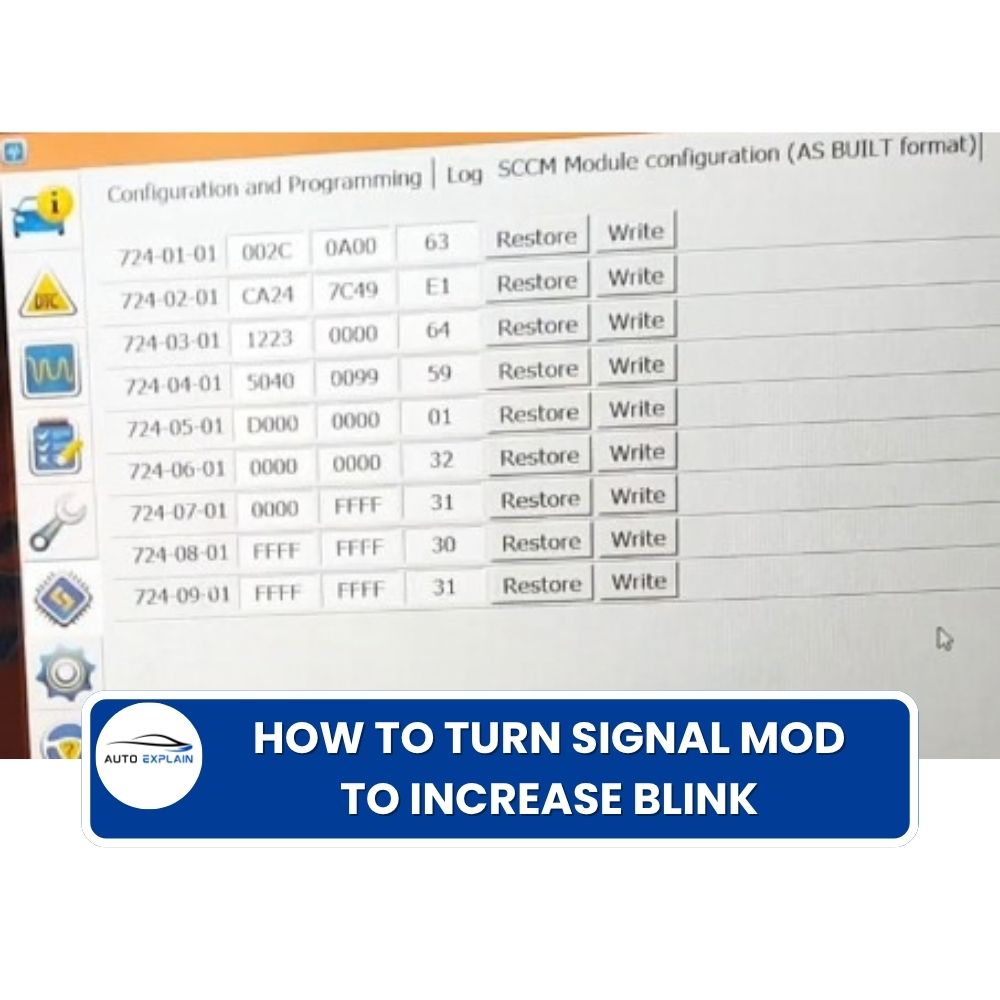

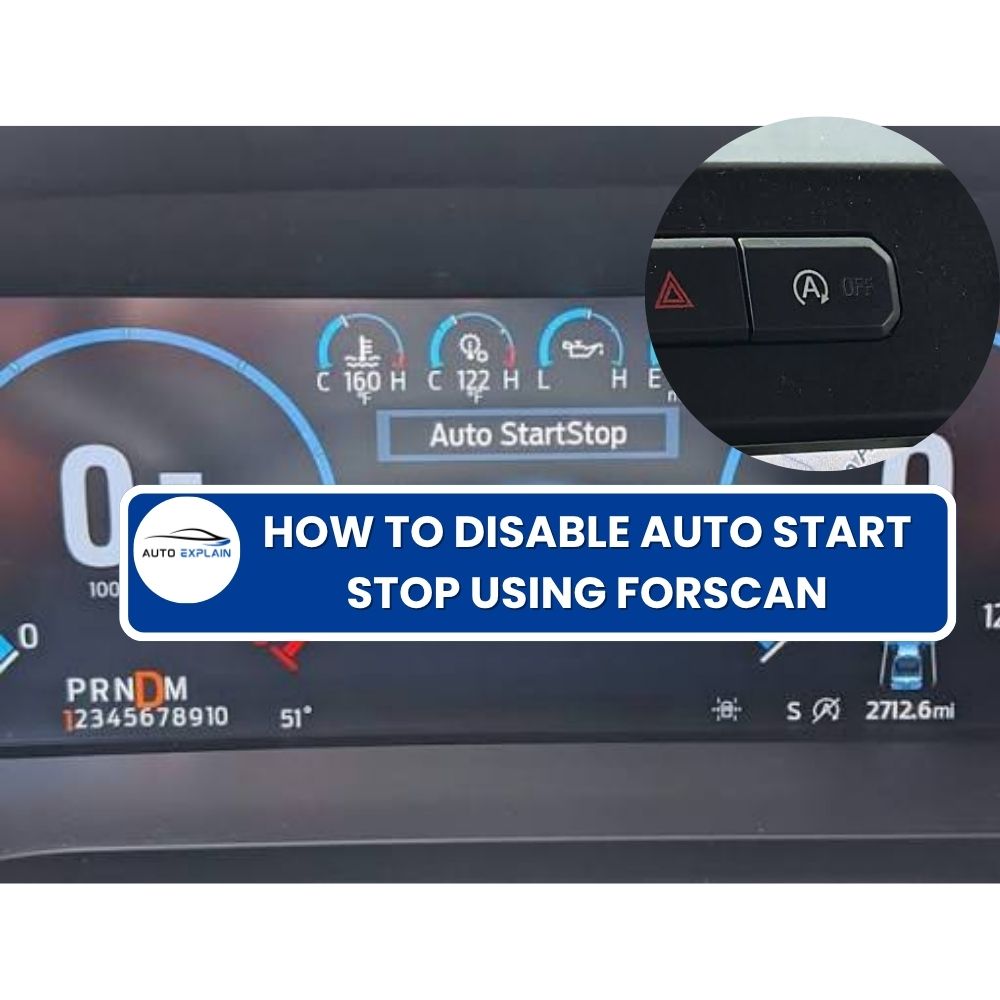
The Disable Auto Start Stop modification changes the vehicle configuration so that the Auto Start Stop function can be disabled through the vehicle’s body control configuration.
This procedure uses FORScan and the BdyCM (Body Control Module) in As-Built Format.
The coding workflow is simple:
Connect vehicle → Select BdyCM → Change 726-48-02 → Write → Check vehicle
The Auto Start Stop system is designed to automatically stop and restart the engine under certain driving conditions.
The coding modification described in this guide changes the relevant BdyCM As-Built configuration to disable the Auto Start Stop function.
Function
| Feature | Description |
|---|---|
| Auto Start Stop | Disabled through vehicle configuration |
| Module | BdyCM |
| Configuration format | As-Built Format |
| Coding software | FORScan |
| Configuration address | 726-48-02 |
The actual availability of this configuration depends on the vehicle model, model year, BdyCM version, software configuration, and vehicle equipment.
Before starting, prepare:
Because this procedure modifies the vehicle configuration, it is recommended to record or save the original configuration before making changes.
The general coding workflow is:
Connect → Identify → Read → Save → Modify → Write → Verify
This approach provides a reference for the original configuration and helps with troubleshooting or restoration if necessary.
Connect the VCI to the vehicle’s diagnostic port and connect the VCI to the laptop running FORScan.
Open FORScan and establish communication with the vehicle.
Allow FORScan to identify the vehicle and load the available modules.
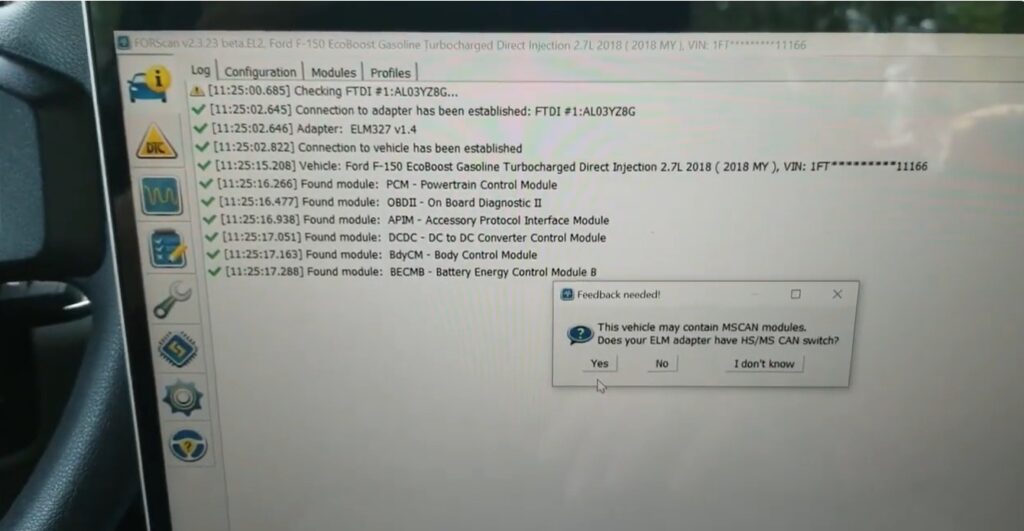
Connect VCI to vehicle
Make sure communication is stable before continuing to the module configuration.
After FORScan has connected to the vehicle, open:
Configuration and Programming
Locate:
BdyCM – Body Control Module
Then select:
As-Built Format
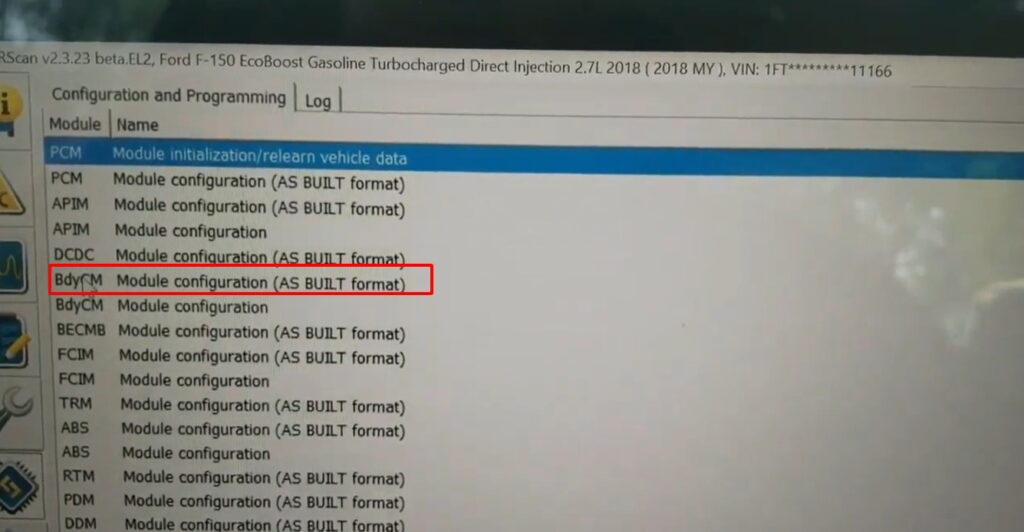
Configuration and Programming BdyCM As-Built Format.
The BdyCM is the module used in this procedure to access the configuration associated with the Auto Start Stop function.
Locate the following configuration address:
726-48-02
Change the value according to the supplied coding reference.
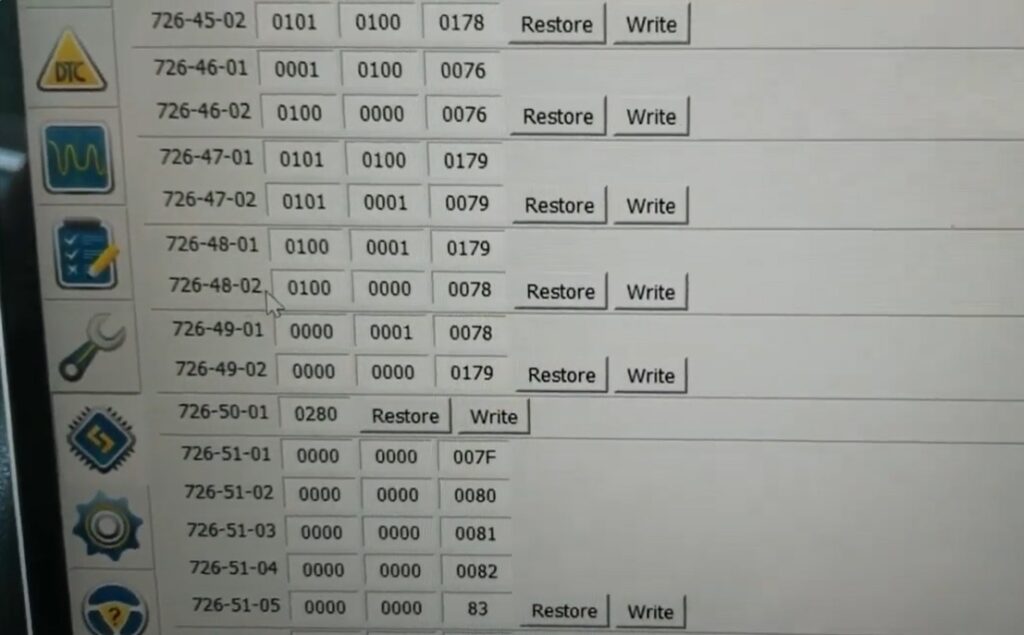
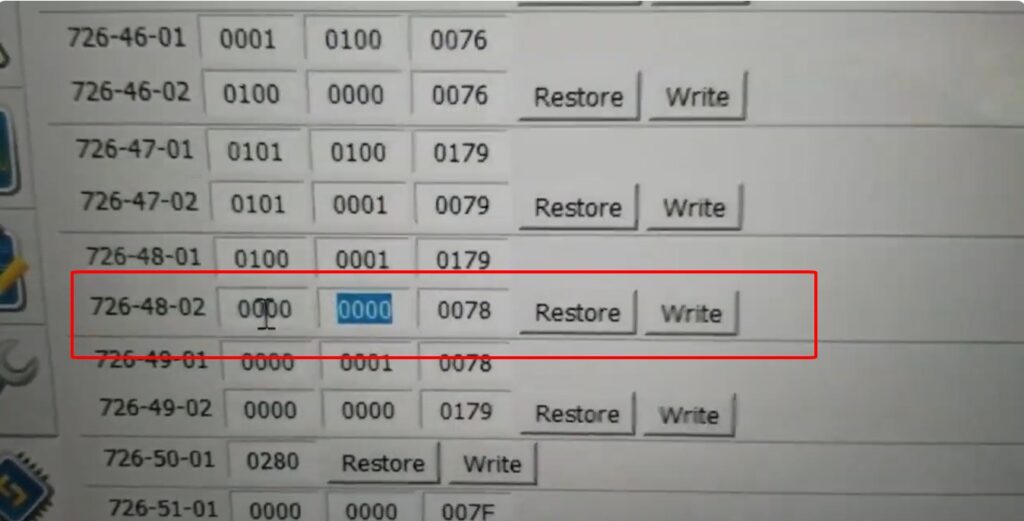
726-48-02 As-Built configuration
After entering the required value, write the change to the BdyCM.
Wait until FORScan completes the writing process before disconnecting the VCI.
After the BdyCM configuration has been written, check the vehicle.
Verify that the coding operation has completed successfully and that the vehicle operates normally.
Check the Auto Start Stop function to confirm whether the intended configuration has been applied.
If the expected behavior is not present, review the original BdyCM configuration and the value entered at 726-48-02.
After the BdyCM configuration at 726-48-02 has been changed and successfully written, the vehicle should operate with the Auto Start Stop function disabled according to the supported configuration.
The basic workflow is:
BdyCM → As-Built Format → 726-48-02 → Change Value → Write → Check Vehicle
The actual result should always be verified on the specific vehicle after coding.
This procedure modifies the vehicle’s BdyCM As-Built configuration.
Before programming:
Do not assume that the same As-Built value applies to every Ford vehicle. Coding availability can vary according to the vehicle, BdyCM hardware, software version, vehicle configuration, and market.
Automotive programming requirements and risks can depend on the vehicle, module, software version, power supply, and programming interface.
Auto Start Stop is a vehicle function that can automatically stop and restart the engine under certain operating conditions.
The procedure uses the:
BdyCM – Body Control Module
The procedure uses:
As-Built Format
through FORScan.
The supplied procedure identifies:
726-48-02
as the configuration address to change.
The replacement value is not included in the supplied text. It should be taken from the applicable coding screenshot/reference for the specific procedure and vehicle.
Yes. After changing 726-48-02, the modified BdyCM configuration needs to be written before checking the vehicle.
After writing the BdyCM configuration, check the vehicle and verify the Auto Start Stop behavior.
The result should be confirmed on the specific vehicle because configuration behavior can vary between vehicle platforms.
Not necessarily. BdyCM configuration and available coding options can vary by vehicle model, model year, hardware, software, and vehicle configuration.
AutoExplain provides remote technical support for supported Ford coding and hidden-feature tasks. Service availability depends on the vehicle, module, software, hardware, service type, and remote connection conditions.
The Disable Auto Start Stop procedure uses FORScan to modify the BdyCM As-Built configuration. The supplied workflow requires selecting BdyCM, locating 726-48-02, changing the applicable configuration value, writing the module, and then checking the vehicle.
Always save the original configuration before making changes and verify the correct As-Built value for the specific vehicle. The exact coding result can depend on the vehicle’s model, module, software, and configuration.
If you need help checking the correct BdyCM configuration or activating a supported Ford hidden feature remotely, contact AutoExplain for technical guidance and remote coding support.
WhatsApp: +1 (936) 289-6695
Please provide your Ford model, model year, module information, and the feature you want to activate so the technical team can assess the request.