
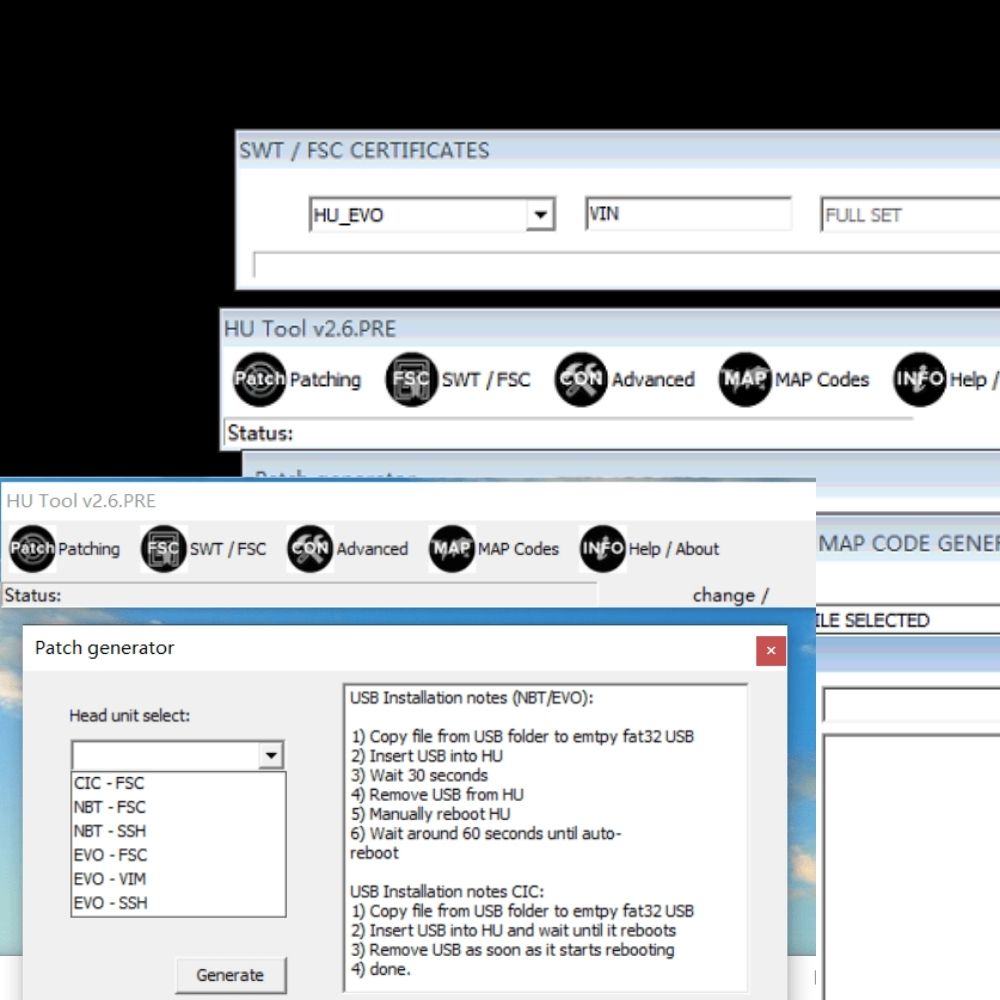
If you are working with BMW navigation systems such as CIC, NBT, or EVO, generating a valid FSC map activation code is a critical step for updating and unlocking navigation features. HU TOOL 2.6 is a powerful utility that allows technicians to create FSC certificates quickly and efficiently for various BMW head units.
In this guide, AutoExplain will walk you through the complete process of creating BMW FSC map activation files using HU TOOL 2.6, including VIN input, navigation selection, and final FSC generation for CIC, NBT, EVO, and EVO ID5/6 systems.
HU TOOL 2.6 is a specialized software utility used to generate FSC (Freischaltcode) certificates for BMW head units. It is commonly used by technicians and workshops to create FSC activation files for navigation systems such as CIC, NBT, NBT EVO, and EVO ID5/6.
The tool allows users to input the vehicle’s VIN (usually the last 7 digits) and generate the required FSC file needed for:
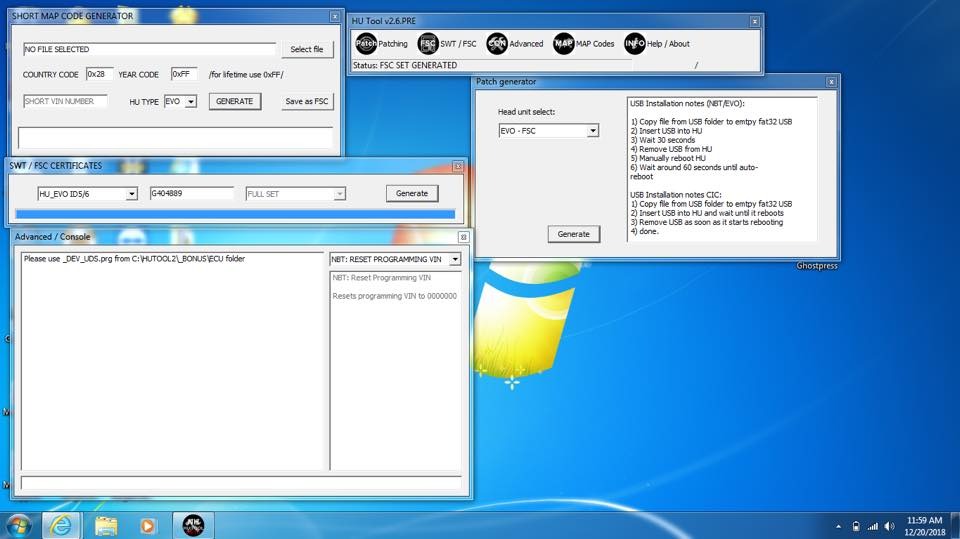
HU TOOL 2.6 simplifies the FSC creation process by automatically generating the correct certificate format, which can then be imported into the vehicle using tools like E-Sys or FSC Tools.
In short, HU TOOL 2.6 is a practical solution for creating BMW FSC activation files for head unit systems.
Before using HU TOOL 2.6 to create BMW FSC map activation files, make sure you have the following requirements prepared:
1. Required Software
2. Vehicle Information
Selecting the wrong head unit type will generate an incorrect FSC file.
3. Computer Requirements
4. Connection Equipment
5. Folder & File Check
Follow the instructions below to generate a BMW FSC file using HU TOOL 2.6:
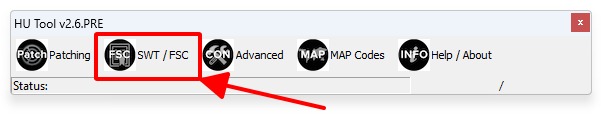
After clicking “SWT/FSC”, the software will display the FSC certificate generation window.
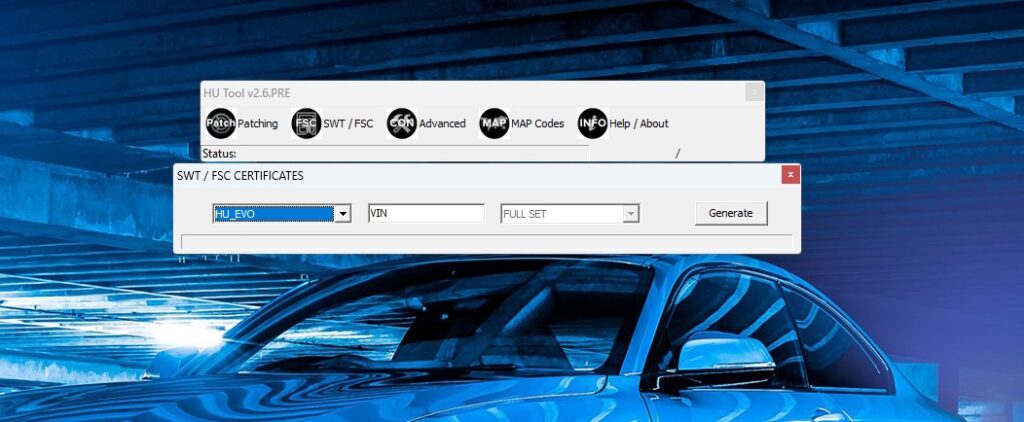
Click on “HU_EVO” (or the appropriate head unit section).
Then select the correct navigation system installed in your BMW:
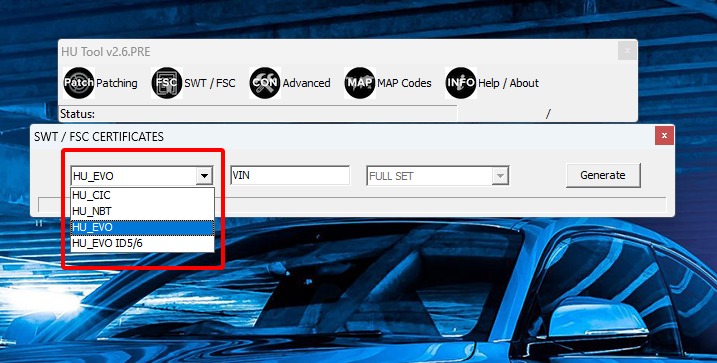
Make sure you select the correct head unit type to avoid generating an invalid FSC file.
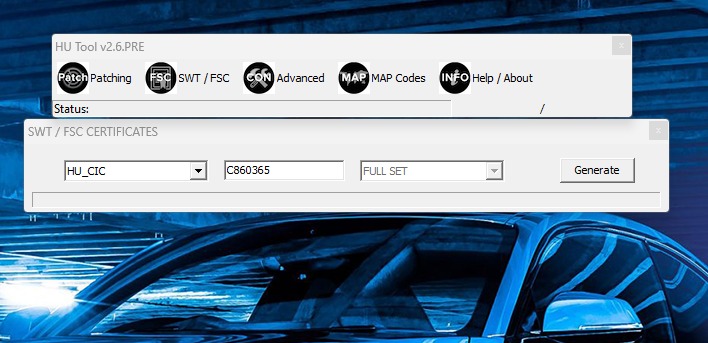
Once you click Generate, HU TOOL will automatically create an FSC file.
The file will be saved inside the “GENERATED” folder.
Depending on the selected system, the generated file will correspond to:
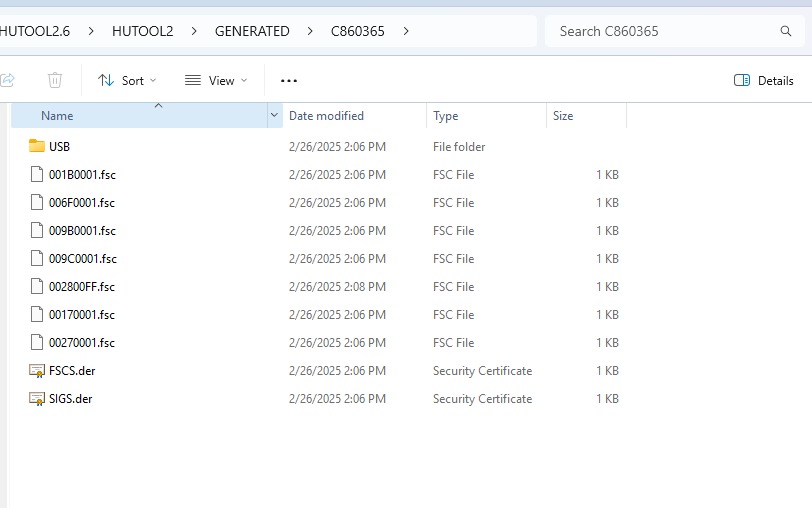
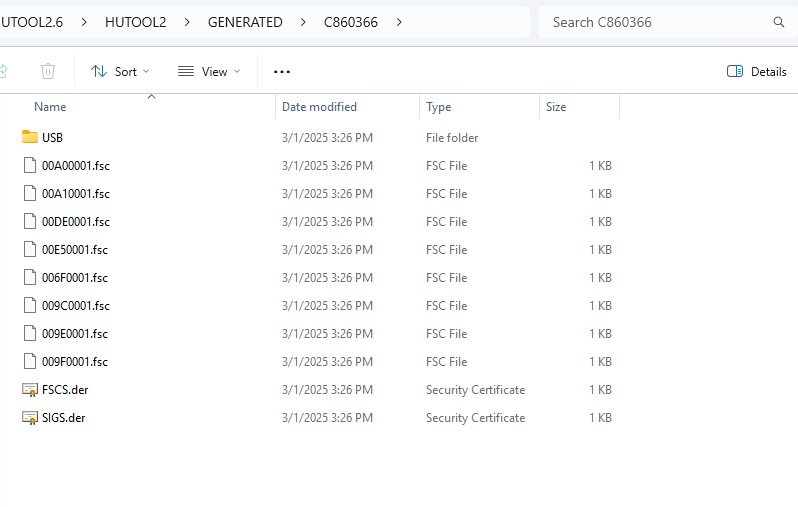
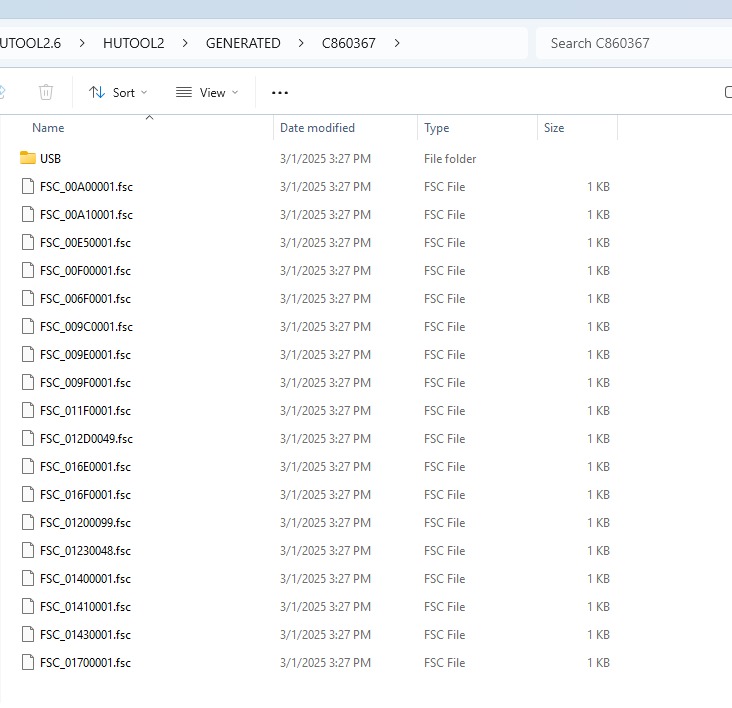
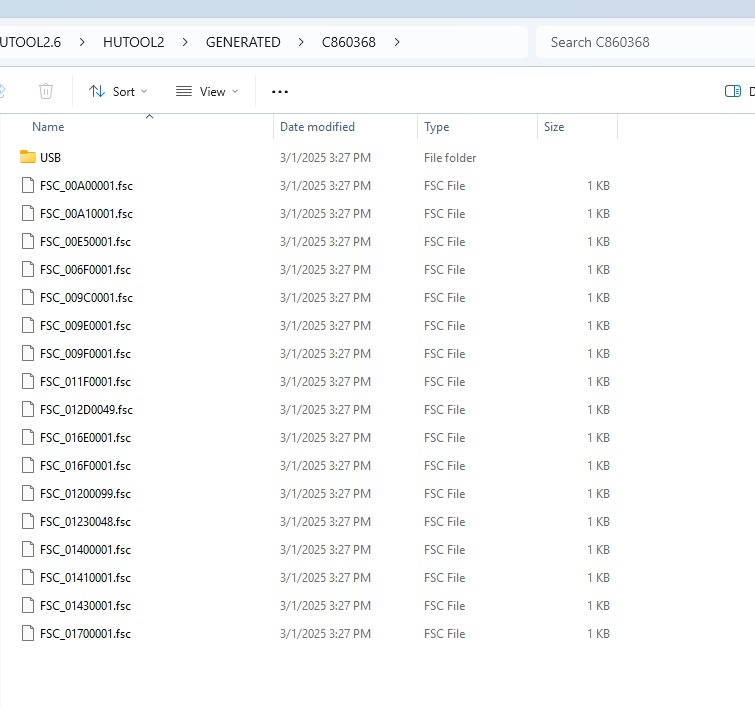
After generating the FSC file, proceed to import and activate it using:
Once successfully imported, the navigation or related feature will be unlocked and activated on the BMW head unit.
HU TOOL 2.6 provides a straightforward and efficient method for generating BMW FSC certificates for CIC, NBT, and NBT EVO head units. By correctly selecting the head unit type, entering the last 7 digits of the VIN, and generating the FSC file, technicians can quickly prepare activation files for navigation map updates and software feature unlocking.
When combined with tools such as E-Sys or FSC Tools, HU TOOL 2.6 becomes a practical solution for BMW workshops and coding specialists who need reliable FSC map activation support.
Ensuring proper setup, accurate head unit identification, and stable vehicle connection will help guarantee a smooth and successful FSC activation process.
If you need support, please contact AutoExplain via WhatsApp: +1 (936) 289 6695 for fast and best support!