
How to Change the Gearbox Part Number by Odis Engineering

How to Change the Gearbox Part Number by Odis Engineering

Facebook
Twitter
Pinterest
LinkedIn

Changing the gearbox part number using ODIS Engineering is a critical procedure when working with Volkswagen and Audi transmissions. This process involves updating the data inside the Transmission Control Unit (TCU – J743) to ensure compatibility with a replacement gearbox or newly installed mechatronic unit. It is also required when resolving software mismatches, retrofitting a different gearbox model, or applying factory-recommended updates for improved performance.

In this guide, AutoExplain will walk you through how to correctly change the gearbox part number using ODIS Engineering, the essential tools you need, and the key steps to avoid ECU faults during the flashing process.

What Does “Change Gearbox Part Number” Mean?

“Change Gearbox Part Number” refers to the process of modifying or updating the part number stored inside a vehicle’s Transmission Control Unit (TCU – J743) so that it matches a new or replacement gearbox. Every gearbox and mechatronic unit has a specific software and hardware part number. When these numbers do not match the vehicle’s original configuration, communication errors, incompatibility issues, or malfunction can occur.

By changing the gearbox part number using ODIS Engineering, technicians ensure:

  • The TCU recognizes the new gearbox or mechatronic unit
  • Software compatibility between the transmission and other control modules
  • Proper shifting behavior and vehicle drivability
  • Successful flashing and parameterization during repair or retrofit

In simple terms, it aligns the software identity of the transmission module with the actual hardware installed in the vehicle.
Tools and Software Needed to Change the Gearbox Part Number by ODIS Engineering

Software Requirements

  • ODIS Engineering – Official VW/Audi software used for ECU flashing and part number modification. (ODIS Service is not suitable).
  • Flash Files (.SGO / .FRF) – Correct firmware files matching the new gearbox part number.
  • ODX Data Files – Required for stable and correct communication with the gearbox ECU.
  • Parameterization Files (if needed) – Some gearbox types require additional configuration after changing the part number.
  • EEPROM/Coding Tools (Optional) – Tools like AVDI, FVDI, or VCP for deeper parameter coding if required.

Hardware Requirements

  • VAS 6154 / VAS 5054A – Official and most stable diagnostic interfaces for VW/Audi vehicles.
  • Passthru Devices – Alternatives such as Bosch VCI, Openport 2.0, or Cardaq Plus 3 (may have limitations).
  • Stable Power Supply (13.5V–14.5V) – Essential to prevent voltage drop and avoid ECU/TCU corruption during flashing.

Steps to Change the Gearbox Part Number Using ODIS Engineering

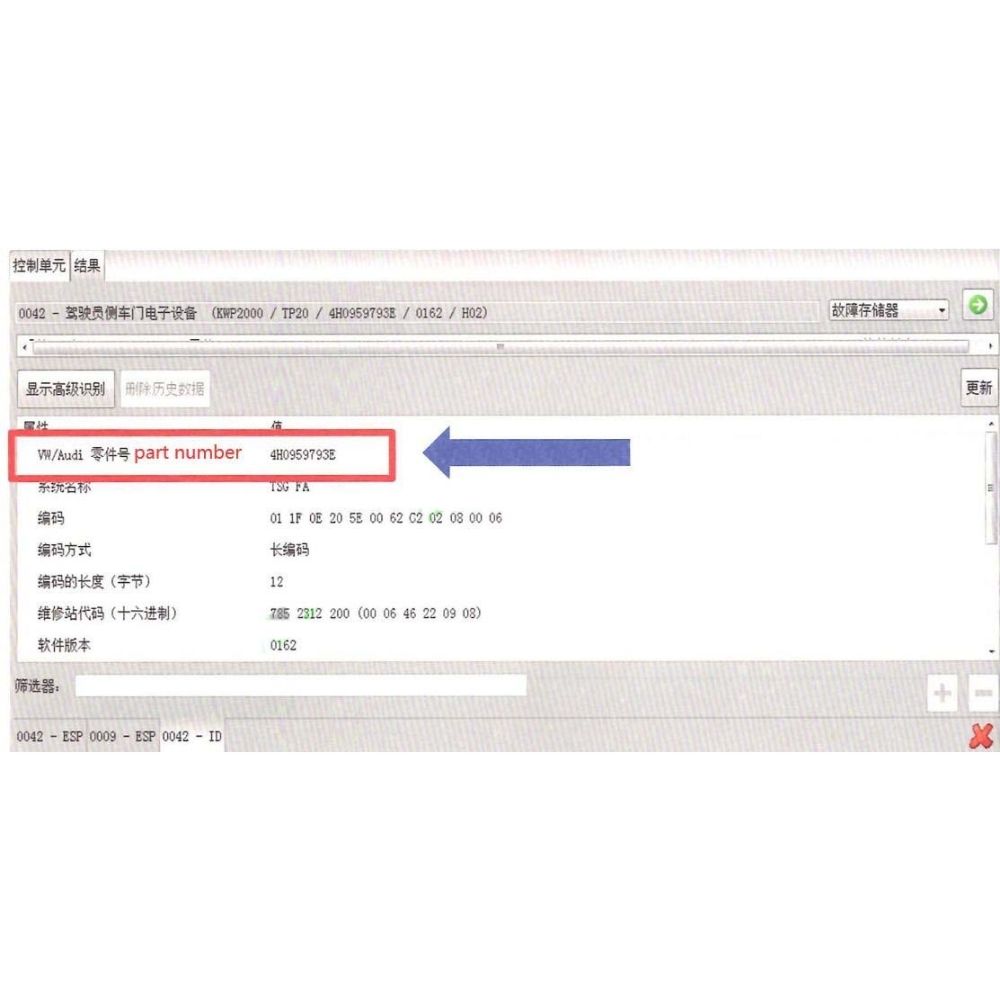
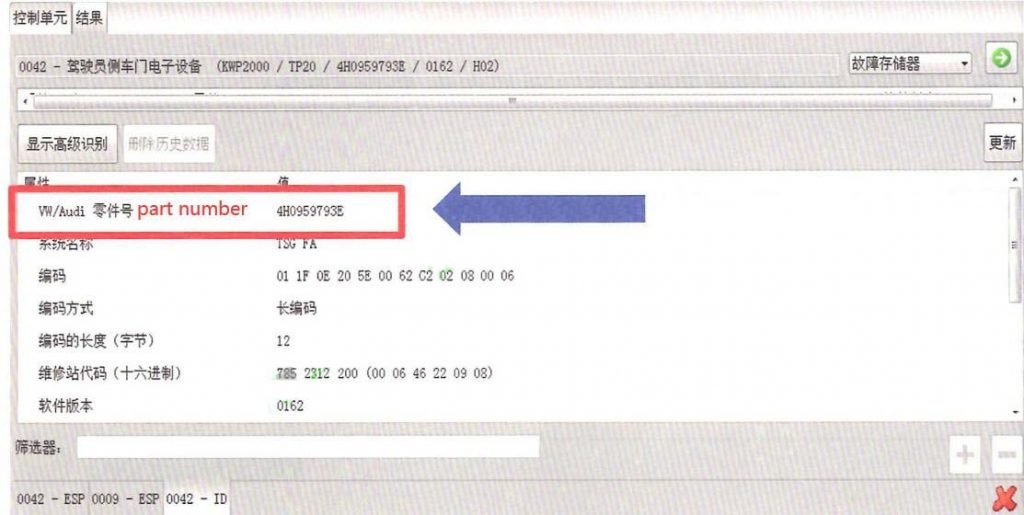
Step 1: Check the Current Gearbox Part Number

  • Open ODIS Engineering and enter Self-Diagnostics

How to Change the Gearbox Part Number by Odis Engineering 1

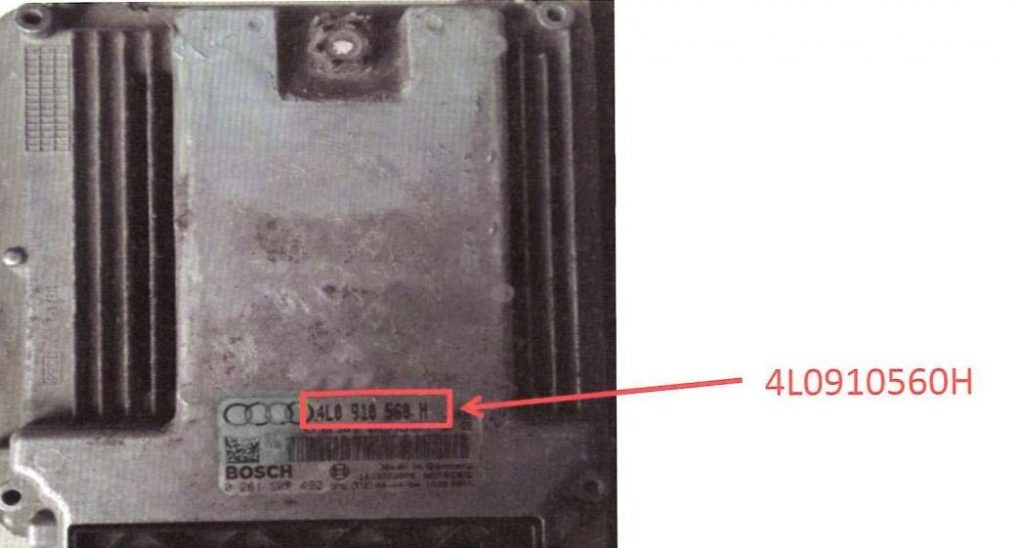
or check the part number directly on the gearbox/TCU label.
How to Change the Gearbox Part Number by Odis Engineering 2

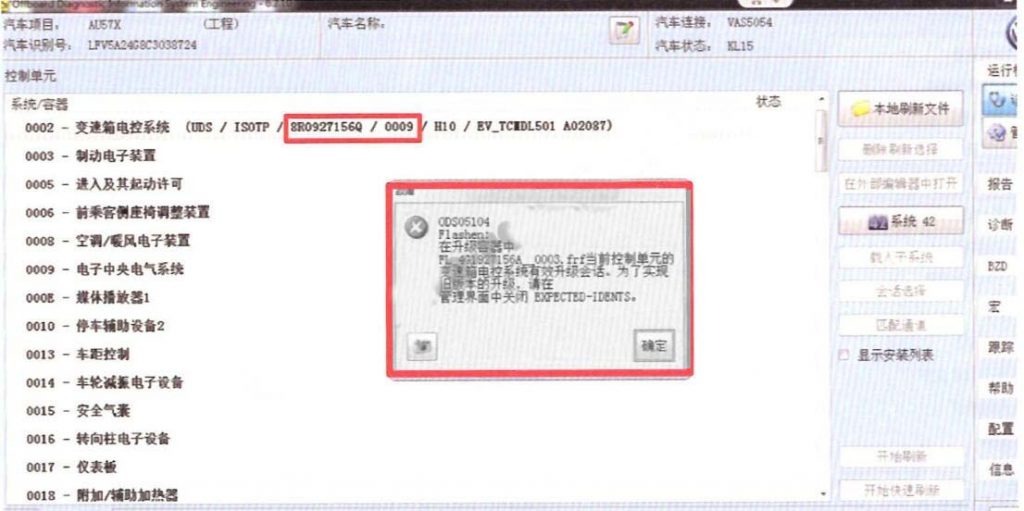
  • Confirm the original part number (example: 4G1927156A on Audi).

How to Change the Gearbox Part Number by Odis Engineering 3

Step 2: Select the Correct Flash File

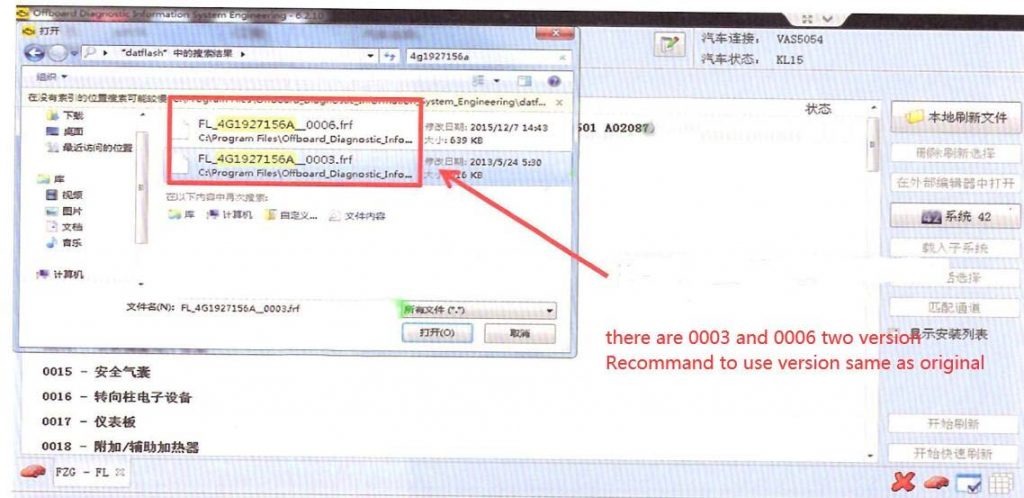
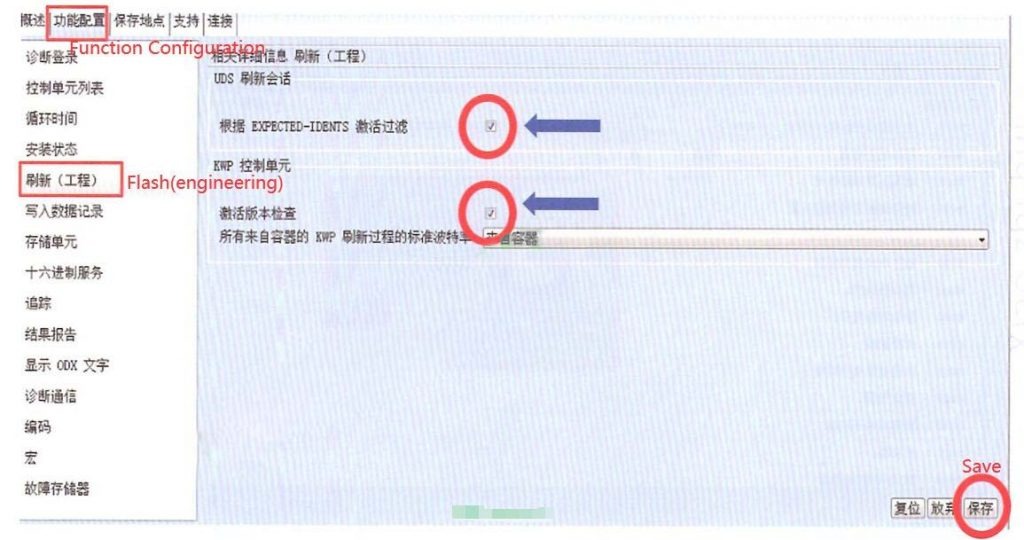
  • Search for the flash file (.SGO / .FRF) that matches the original part number.
  • Ensure the flash data corresponds to the correct vehicle model and gearbox type.
  • Load the flash file into ODIS Engineering.

How to Change the Gearbox Part Number by Odis Engineering 4

Step 3: Start Flashing to Change the Part Number

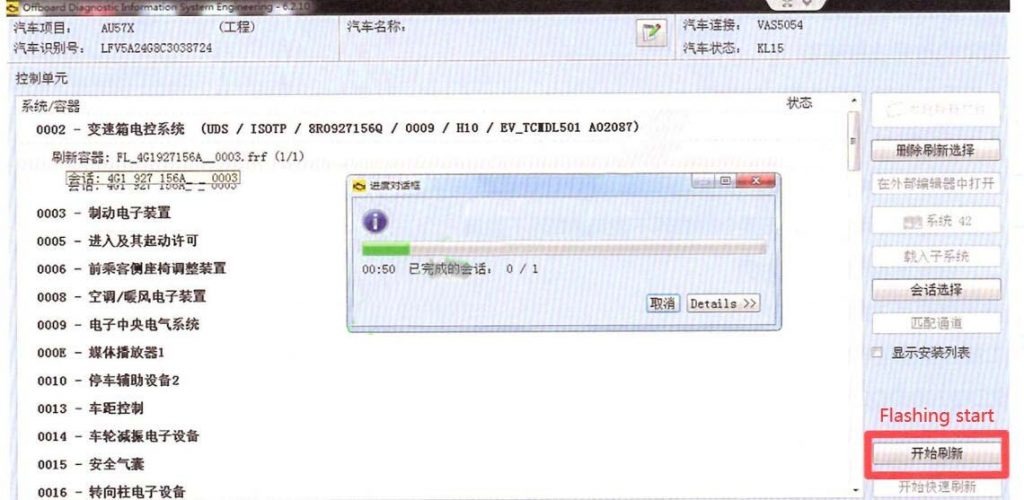
  • Click “Start Flashing” in ODIS Engineering.
  • Wait for the flashing process to complete (typically 2–10 minutes).
  • Do not disconnect the interface or allow voltage to drop during flashing.

How to Change the Gearbox Part Number by Odis Engineering 5

How to Change the Gearbox Part Number by Odis Engineering 6

After number changed, release anti-start lock and re-learn computer matching value by ODIS.

Changing the gearbox part number with ODIS Engineering is a precise procedure that relies on the correct flash files, stable power supply, and proper diagnostic tools. Using official VAS interfaces ensures the highest compatibility and reduces the risk of communication errors, while Passthru devices may work but with certain limitations. Always verify the correct part number and flash data before proceeding, as proper preparation is essential to avoid ECU corruption and guarantee that the transmission functions correctly after flashing.

If you need help selecting the correct flash file, configuring ODIS Engineering, or performing gearbox part number updates safely, the AutoExplain technical team is ready to assist you. Message us on WhatsApp: +1 (936) 289-6695 for expert guidance, remote support, or tool recommendations.

Read more:

Leave a Reply

Your email address will not be published. Required fields are marked *