
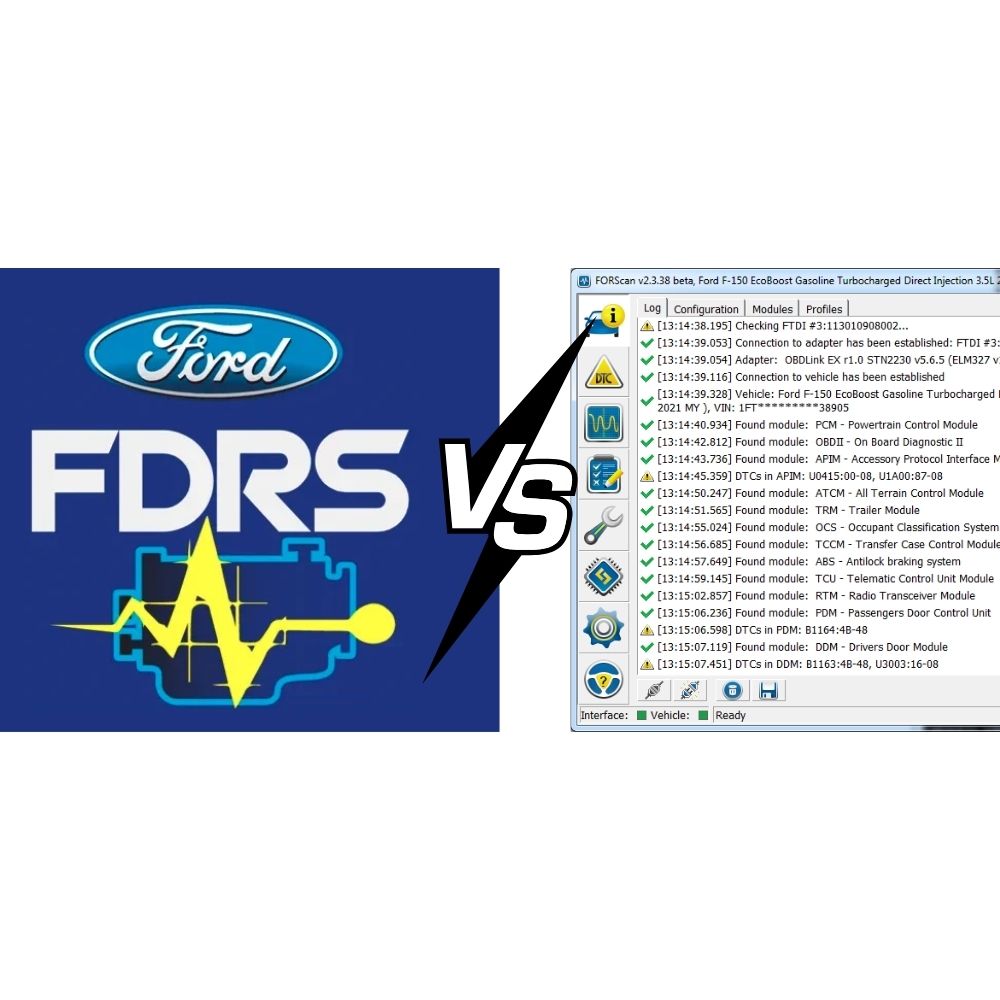
Ford FDRS is widely recognized as the gold standard for Ford diagnostics — but let’s be honest: getting access to it isn’t easy. The software is distributed exclusively through authorized Ford dealers, the licensing fees can be steep, and for many independent workshops or DIY owners, finding a reliable, legitimate source is a challenge in itself.
If you’ve hit that wall — whether it’s the high cost, limited availability, or the complexity of dealer-only procurement — you’re not alone. And the good news is, you’re not without options.
FORScan is the perfect alternative. Built specifically for Ford, Lincoln, Mercury, and Mazda vehicles, FORScan delivers a level of diagnostic depth that no generic OBD2 tool can match — at a fraction of the cost, with hardware you can order online for under $50.
Of course, FORScan and FDRS aren’t identical. Each has its own strengths, and knowing where one outperforms the other will help you get the most out of whichever tool you use — or both. In this article, we’ll take a detailed look at FDRS vs FORScan across every key capability, so you can make a fully informed decision for your garage, your workshop, or your own Ford.
Table of Contents
ToggleFord FDRS (Ford Diagnostic and Repair System) is Ford Motor Company’s official dealer-level diagnostic platform. It is designed primarily for 2018 and newer Ford and Lincoln vehicles and connects directly to Ford’s online servers to deliver OEM-accurate diagnostics, guided repair procedures, and module programming.
FDRS replaced the older Ford IDS (Integrated Diagnostic System) as Ford’s primary diagnostic software and is the same tool used at authorized Ford dealerships worldwide.
Key characteristics:
FORScan is a third-party diagnostic application developed specifically for Ford, Lincoln, Mercury, and Mazda vehicles. Unlike generic OBD2 scanners, FORScan can communicate across both HS-CAN and MS-CAN networks, giving it deep access to modules that most aftermarket tools cannot reach.
FORScan is especially popular among DIY enthusiasts and independent workshops for its powerful AsBuilt configuration editing — allowing users to unlock hidden features and customize vehicle behavior without dealer-level hardware.
Key characteristics:
FDRS
FDRS reads fault codes from every vehicle module with full OEM accuracy. Each DTC comes with Ford’s official repair flow, fault descriptions, and VIN-specific diagnostic guidance. It also supports advanced network analysis across CAN, ADAS, and Hybrid/EV architectures — critical for complex fault trees on modern Ford platforms.
FORScan
FORScan can read and clear DTCs from virtually every module on supported vehicles, including PCM, ABS, BCM, IPC, SCCM, APIM, and more. Its ability to communicate over both HS-CAN and MS-CAN gives it a significant edge over generic scan tools. Scan speed is fast and reliable, making it practical for day-to-day garage work.
Verdict: FDRS wins on depth and OEM accuracy. FORScan wins on accessibility and value.
FDRS
Live data in FDRS reflects Ford’s official PID library. Guided Diagnostics uses live data streams to help technicians identify faults in real time — particularly useful for Hybrid, EV, and ADAS systems where proprietary PIDs are essential for accurate diagnosis.
FORScan
FORScan displays live data in numeric, graphical, and datalog formats. It supports a large set of Ford-specific PIDs that generic OBD2 tools simply don’t expose. Users can monitor multiple ECUs simultaneously across different CAN networks — a feature rarely found at this price point.
Verdict: FDRS is more precise; FORScan is more flexible and far more affordable.
FDRS
FDRS supports online module configuration through Ford’s server, including PMI (Programmable Module Installation). Because coding is server-validated, the risk of configuration mismatches is low. However, this also means you’re limited to Ford’s approved configuration options.
FORScan
This is where FORScan truly shines. Its AsBuilt Editor allows direct hex-level editing of module configuration data, enabling users to enable or disable a wide range of hidden features, including:
Verdict: FORScan is unmatched for AsBuilt customization. FDRS is safer and more structured for production-level coding.
FDRS
ECU programming is FDRS’s single biggest advantage. It connects directly to Ford’s calibration servers to deliver the latest firmware for every supported module. Supported operations include:
This level of online programming requires a stable internet connection and a supported interface (VCM2, VCMM, VCM3, or J2534), but the result is dealer-quality module updates that fully comply with Ford specifications.
FORScan
FORScan supports some programming functions, including module configuration, adaptive value resets, limited PATS operations, and firmware updates on select vehicle lines. However, it does not support full online ECU flashing or calibration file delivery from Ford’s servers.
Verdict: FDRS wins decisively. For any module flash or online programming task, FDRS is the only real option.
FDRS
FDRS requires a J2534-compliant interface. Officially supported hardware includes:
Hardware costs are higher, and a valid FDRS subscription license is also required. A stable, high-speed internet connection is necessary for most programming functions.
FORScan
FORScan supports a broad range of affordable adapters:
Bluetooth and Wi-Fi connectivity options make FORScan particularly convenient for mobile use. The low hardware cost is one of its biggest selling points for independent shops and enthusiasts.
Verdict: FORScan wins on accessibility and cost. FDRS requires a larger hardware investment but offers professional-grade stability.
| Feature | FDRS | FORScan |
|---|---|---|
| DTC Read / Clear | Dealer-level OEM | Comprehensive, multi-module |
| Live Data | OEM PID library | Flexible, multi-CAN |
| Module Coding | Server-validated | Full hex AsBuilt editing |
| ECU Flash Programming | Full online OEM | Limited |
| PATS / VIN Programming | Full support | Limited |
| ADAS Calibration | Supported | Not supported |
| Supported Hardware | VCM2, VCMM, VCM3, J2534 | ELM327, OBDLink, vLinker |
| Internet Required | Yes | No |
| Stability | Very high | Adapter-dependent |
| Cost | High | Very low |
| Best For | Dealers, large professional shops | DIY, enthusiasts, small garages |
Not every shop owner or Ford owner wants to invest in hardware, manage software licenses, or learn the ins and outs of FDRS and FORScan. If that sounds like you, there’s a simpler path.
At AutoExplain, we offer professional remote diagnostic and programming services for Ford vehicles — no need to visit a dealer, no expensive equipment required on your end. Our team works with Ford, Lincoln, and related platforms to handle:
Whether you’re a technician who needs backup on a tricky case, or a vehicle owner who wants dealer-level results without dealer pricing, AutoExplain’s remote service is built for you.
Get in Touch
Reach out with your vehicle details and the issue you’re facing — our team will get back to you promptly with a solution.
FDRS and FORScan are not rivals — they’re complementary tools designed for different purposes.
For Ford technicians and owners serious about their vehicles, knowing which resource to reach for — whether that’s FDRS, FORScan, or a trusted remote specialist — makes all the difference.


At AutoExplain, we provide automotive online repair service, auto repair tips, car repair manuals & document & training course to help mechanics of all experience levels—fix vehicles efficiently
AUTO EXPLAIN LLC
Employer Identification Number (EIN):
38-4349958
Whatsapp Us: +1(936)2896695
Gmail: [email protected]
Our Workshop: 1500 N Grant ST Sten Denver, Colorado, United States
Copyright 2025 © AutoExplain